What is an AI model photoshoot generator?
It is a workflow that creates on-model apparel images from product references and product facts. The goal is to show fit, scale, styling, movement, and buyer context while keeping the garment accurate.
Guide page
Apparel buyers do not only inspect fabric and color. They want to understand fit, scale, styling, proportion, drape, sleeve length, hem position, waistband shape, model context, and how the garment might look on a real person. That is why model photography is a conversion layer, not decoration. Ayzelify helps apparel brands, ecommerce teams, exporters, Shopify sellers, WooCommerce teams, streetwear founders, activewear brands, sportswear suppliers, and teamwear manufacturers turn verified product references into model photoshoot assets that can support product pages, marketplaces, lookbooks, ads, social posts, and buyer presentations. Google image guidance emphasizes helpful surrounding context, descriptive filenames, useful alt text, high-quality images, and crawlable image elements. Google Product structured data guidance reinforces that product pages should keep visible content, product images, offers, variants, shipping, returns, and product facts consistent. Ecommerce product-media workflows also treat galleries as a core buyer-inspection system. This guide explains how apparel teams can use the Ayzelify AI Model Photoshoot Generator to create model images that show fit and buyer imagination while protecting product accuracy, logo handling, model consistency, SEO, GEO, and marketplace trust.
An AI model photoshoot generator helps apparel brands create on-model product images from garment references, but the best workflow is review-led. Start with verified product facts, choose the right model, pose, background, and gallery role, generate fit and styling views, then check product fidelity, color, logo, seams, scale, and claims before publishing.
Model photos should answer buyer questions about fit, scale, drape, styling, proportion, movement, and how the garment looks beyond a flat product image.
A useful workflow begins with a verified product reference, approved product facts, model direction, background type, pose set, image purpose, and channel requirements.
AI model photoshoot outputs must be reviewed for garment fidelity, logo integration, color accuracy, seams, trims, fabric behavior, size impression, and unrealistic body or fit changes.
Catalog, mannequin, model, UGC, and lifestyle images serve different jobs; a model image should support fit and styling without replacing clean product inspection views.
SEO and GEO strength comes from consistent page context: accurate alt text, helpful captions, product facts, internal links, structured-data-ready content, and buyer-focused FAQs.
A flat product image can show color, outline, and construction, but it rarely answers how a garment sits on the body. Buyers want to understand sleeve length, hem position, waistband height, shoulder shape, drape, crop, volume, and proportion. A model image gives that context when it stays faithful to the product reference.
Ayzelify helps apparel teams create model photos from garment references so the product page can show both inspection and imagination. The model image should support buyer understanding, not replace the product record.
The model should match the buyer, category, and brand. A streetwear drop, teamwear kit, gymwear set, leather jacket, running layer, or modest fashion product may need a different model direction, pose language, styling level, and background. Deciding this first makes the output easier to judge.
For catalog consistency, teams may also need the same model identity or mannequin direction across multiple products. That matters when a collection page should look intentional rather than assembled from unrelated image styles.
Each pose should have a job. A straight front pose explains the product quickly. A back pose shows print placement, hood shape, yoke, sponsor zone, or rear construction. A side pose shows volume and silhouette. A movement pose helps activewear, sportswear, and outerwear feel believable. A detail crop supports fabric, trim, and finishing.
Ayzelify can help generate the full pose set from a product reference, but the catalog team should still decide which views belong on the product page, which belong in ads, and which are better for social or lookbook use.
The most important review question is whether the garment is still the same product. Check shape, color, print, logo placement, seams, collar, zipper, pockets, cuffs, waistband, hardware, fabric texture, and proportions. If the generated model image improves the scene but changes the product, it is not a usable catalog asset.
This is where apparel teams need discipline. AI can create polished imagery quickly, but ecommerce trust depends on the final image matching what the buyer can order.
Model photos are powerful, but they should not be the only image type in an apparel catalog. A buyer may still need a clean front view, back view, detail closeup, ghost mannequin view, fabric closeup, size guide, or construction image. The model view sells fit and context; the clean view supports inspection.
Ayzelify connects model photoshoots with product photos, mannequin workflows, UGC assets, and listing generation, so teams can build a fuller gallery without rebuilding the brief for every image type.
Search and answer systems need more than an image file. The page should explain what the image shows through headings, captions, alt text, product copy, FAQs, and internal links. Google image guidance emphasizes context around images; ecommerce teams should treat the model gallery as part of the product information architecture.
A good alt text pattern is specific and factual: product type, visible view, and buyer-relevant detail. It should not become a long keyword list or claim features the product record has not verified.
Before publishing, check the full page: hero image, model gallery, clean product images, title, description, variants, size information, price, availability, shipping, returns, FAQs, and structured-data-ready facts. They should describe one garment consistently.
The result is a practical model photoshoot workflow: upload the reference, choose the model direction, generate the views, review product fidelity, write accurate page context, publish, and verify the live route. That is how model photography becomes part of a repeatable ecommerce launch system.
Ayzelify helps apparel brands turn verified product references into on-model views, movement shots, detail crops, lifestyle images, captions, listing content, and launch assets that support product-page trust.
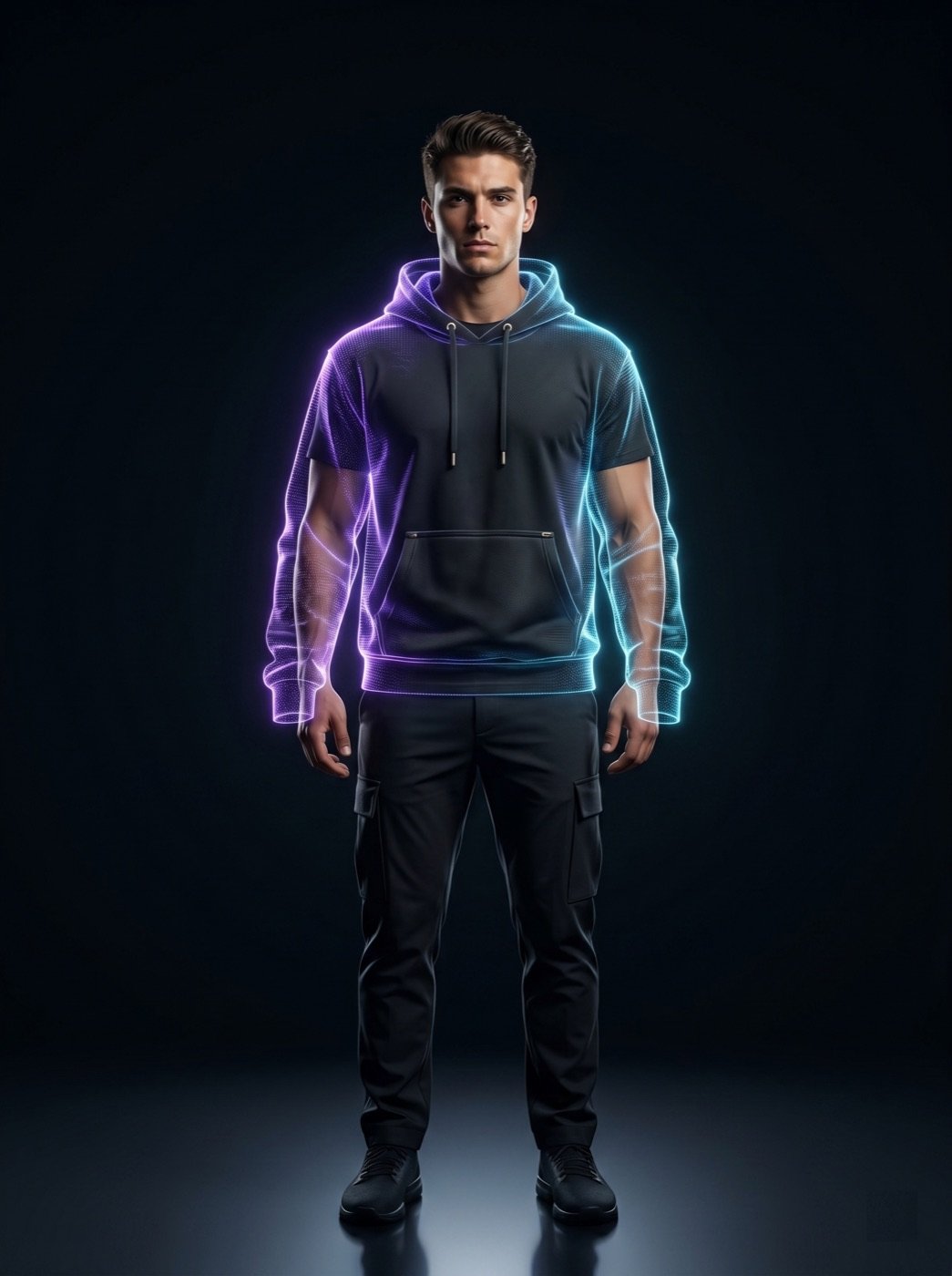
It is a workflow that creates on-model apparel images from product references and product facts. The goal is to show fit, scale, styling, movement, and buyer context while keeping the garment accurate.
They can reduce the need for repeated shoots and help brands create model imagery faster, but every image still needs review. Product color, fit, logo, construction, material, and claims must be checked before publishing.
A useful set often includes a front model view, back view, side view, movement pose, detail crop, lifestyle image, and social crop, supported by clean product or mannequin images for inspection.
They help when the page includes accurate alt text, descriptive filenames, useful captions, product facts, FAQs, internal links, and structured-data-ready content that match the visible garment.
Use Ayzelify to generate product visuals, ecommerce content, and buyer-ready assets, then review every output before publishing.