What image should come first in a Shopify apparel gallery?
The first image should usually show the garment clearly, with enough shape, color, and product detail for buyers to understand what is being sold before they inspect the rest of the gallery.
Guide page
A Shopify product gallery is not just a place to store images. For apparel sellers, the image order can shape how quickly buyers understand the garment, trust the product, and decide whether to keep reading. The first image should create clarity, the next views should answer fit and detail questions, and lifestyle images should show context without hiding product facts. Ayzelify helps Shopify sellers create product photoshoot directions, PDP image sets, and reviewable visual variations for apparel galleries.
A better Shopify apparel gallery usually starts with a clear hero image, then adds alternate angles, detail shots, fit or model context, lifestyle scenes, variant visuals, and review checks that keep the gallery accurate.
The order of product images affects buyer confidence because shoppers scan visuals before they read every detail on the page.
An apparel gallery should show the garment clearly, then answer questions about fit, length, fabric, trims, color, styling, and use context.
Ayzelify helps Shopify sellers create product photos, model-style visuals, lifestyle scenes, and detail-shot directions from product references.
A strong gallery still needs product review so AI-generated visuals do not alter color, shape, logo placement, fabric texture, or available variants.
A Shopify apparel gallery should not make buyers work to understand the product. The first image needs to communicate the garment type, color, shape, and main selling view quickly.
After that, the gallery can build confidence with back views, close-ups, model or fit context, lifestyle scenes, and variant images.
Image order matters because buyers often swipe before reading. A random gallery can bury the detail shot that answers a purchase hesitation or show lifestyle context before the product is clear.
A practical sequence is clarity first, inspection second, fit and detail next, then lifestyle or campaign context once the buyer understands the garment.
Generated gallery assets should be checked like product copy. If an image changes a pocket, trim, logo, color, sleeve length, or fabric behavior, it can create confusion for buyers.
Ayzelify helps teams create the visual options and gallery structure faster, while the final publishing decision should stay tied to real product facts.
Ayzelify helps Shopify apparel sellers create reviewable product photos, detail-shot plans, lifestyle visuals, and PDP gallery sequences from garment references.
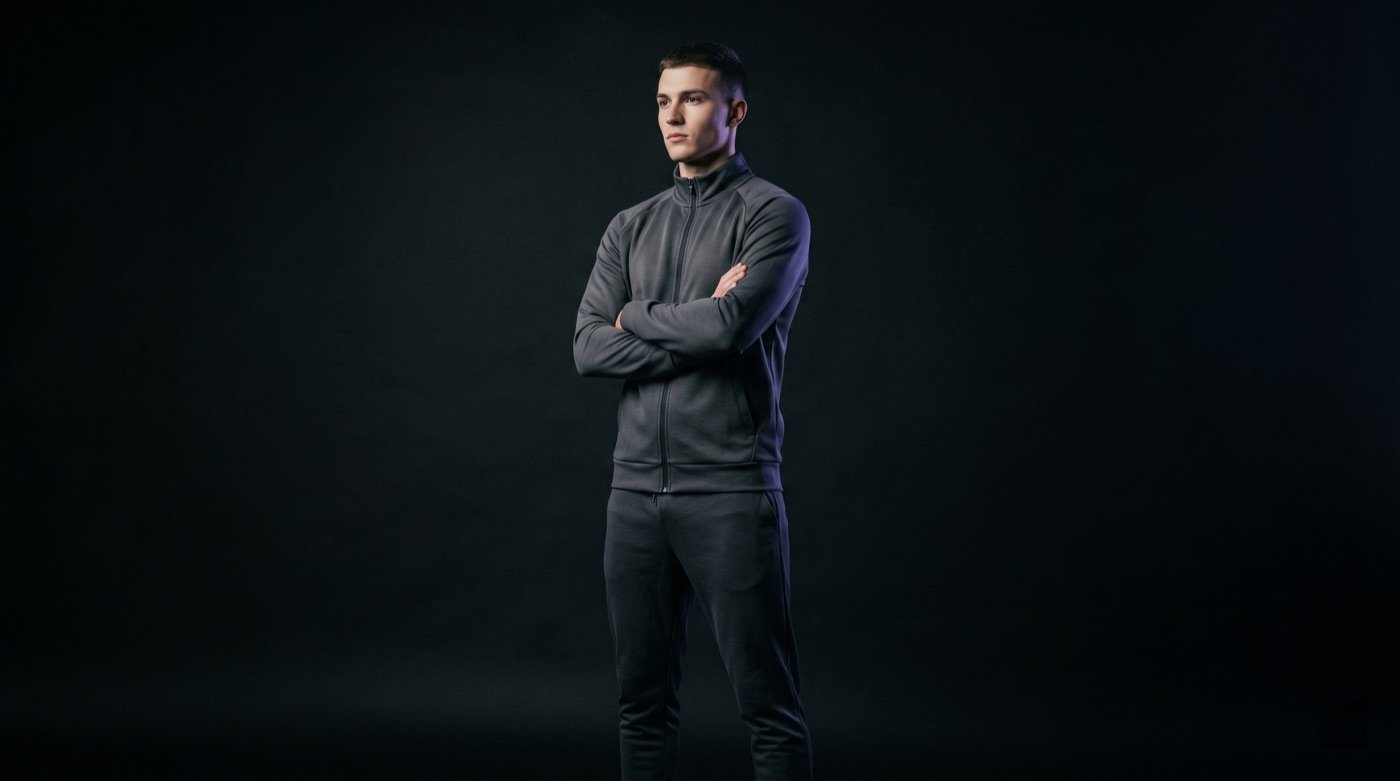
The first image should usually show the garment clearly, with enough shape, color, and product detail for buyers to understand what is being sold before they inspect the rest of the gallery.
There is no fixed number, but most apparel pages benefit from a clear hero, alternate angles, detail shots, variant images, and at least one contextual image when accurate.
Ayzelify can help generate reviewable product photoshoot directions, lifestyle visuals, detail-shot plans, and listing-support images, but the seller should check accuracy before publishing.
Yes. Ayzelify workflows can use uploaded product references or brand inputs to generate product-focused visuals for review.
Use Ayzelify to generate product visuals, ecommerce content, and buyer-ready assets, then review every output before publishing.