When should apparel brands use ghost mannequin images?
Use ghost mannequin images when buyers need to inspect garment shape, neckline, sleeves, construction, print placement, and product details without model styling or background distraction.
Guide page
Apparel teams often ask which image type they need first: ghost mannequin, model photoshoot, or lifestyle image. The answer depends on the job. Catalog pages need clarity, product pages need confidence, and ads need context.
Use ghost mannequin images for garment shape, model photoshoots for fit and styling, and lifestyle images for campaign context; strong apparel galleries often combine all three in the right order.
Ghost mannequin images help buyers inspect garment shape without model distraction.
Model photos show fit, proportion, styling, and movement.
Lifestyle images place the product in use and work well for campaigns, ads, and social content.
A strong product gallery often uses all three image types in the right order.
Ghost mannequin imagery removes the model while preserving the garment shape. It works well for shirts, hoodies, jackets, sportswear, uniforms, and product catalogs where buyers need a clean view.
For exporters, ghost mannequin images are useful because they help buyers compare construction, neckline, sleeve shape, panels, cuffs, hems, print placement, and proportions across multiple products.
A model image answers questions ghost mannequin photos cannot answer: how the garment falls on the body, how the sleeve length looks, how the fit feels, and how the product styles with other pieces.
For apparel ecommerce, model images can reduce uncertainty because buyers can understand proportion and use case faster.
Lifestyle images are strongest when the buyer already understands the product. They show where the garment belongs: gym, streetwear shoot, sports field, office commute, outdoor scene, or campaign setting.
These images are useful for ads, social posts, email campaigns, and landing pages. They should support the product story, not hide the product.
A practical apparel gallery order is hero image, front view, model or mannequin, back view, detail closeup, size or technical visual, then lifestyle. The order can change by category, but inspection should come before campaign storytelling.
Ayzelify helps teams create multiple image types from the same product direction so the final gallery feels coordinated instead of assembled from unrelated shoots.
Ayzelify helps apparel teams create ghost mannequin, model, lifestyle, catalog, and detail images from a connected product workflow.
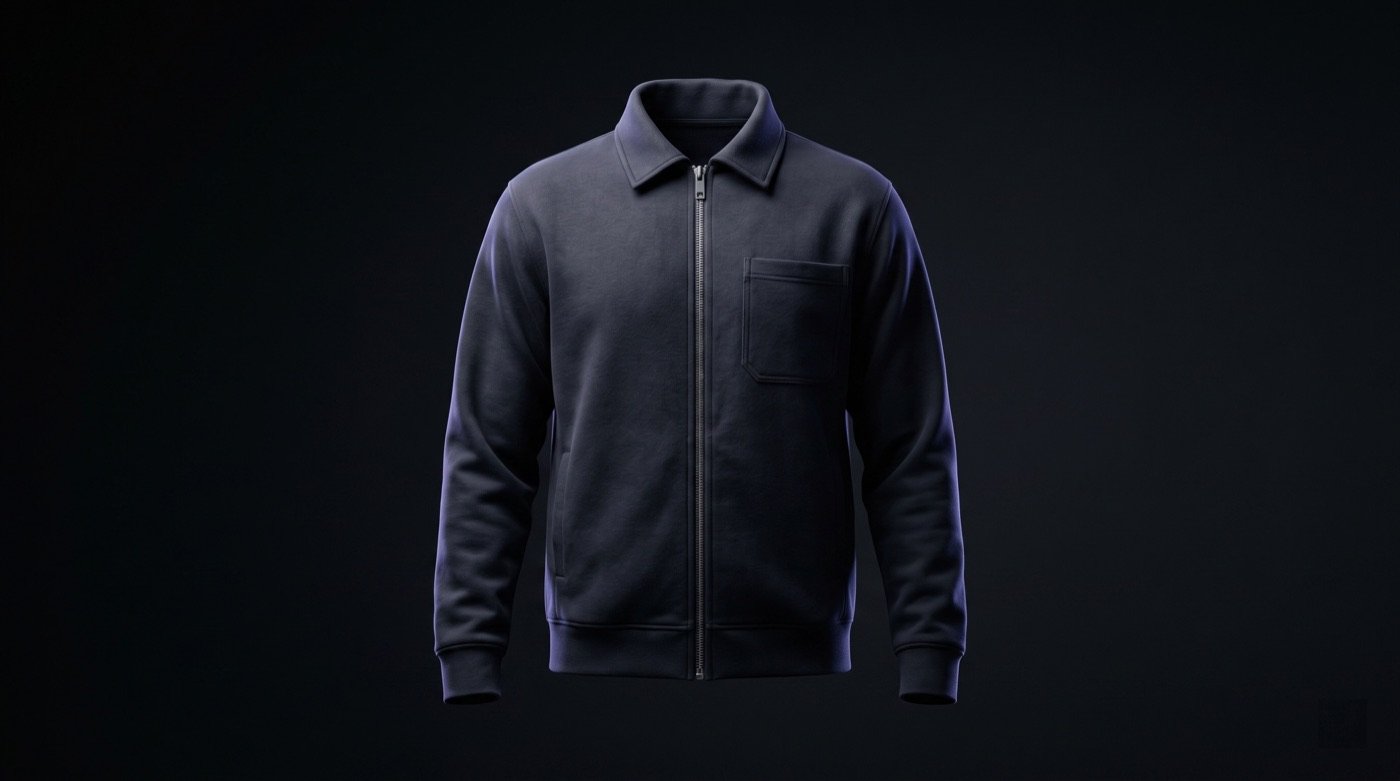
Use ghost mannequin images when buyers need to inspect garment shape, neckline, sleeves, construction, print placement, and product details without model styling or background distraction.
Model photos are better when fit, scale, proportion, movement, styling, and lifestyle relevance influence the purchase decision.
Lifestyle images are useful after the product is clear. They support brand story, ad performance, and social content, but they should not replace clean product inspection images.
Yes. Ayzelify workflows can use uploaded product references or brand inputs to generate product-focused visuals for review.
Use Ayzelify to generate product visuals, ecommerce content, and buyer-ready assets, then review every output before publishing.