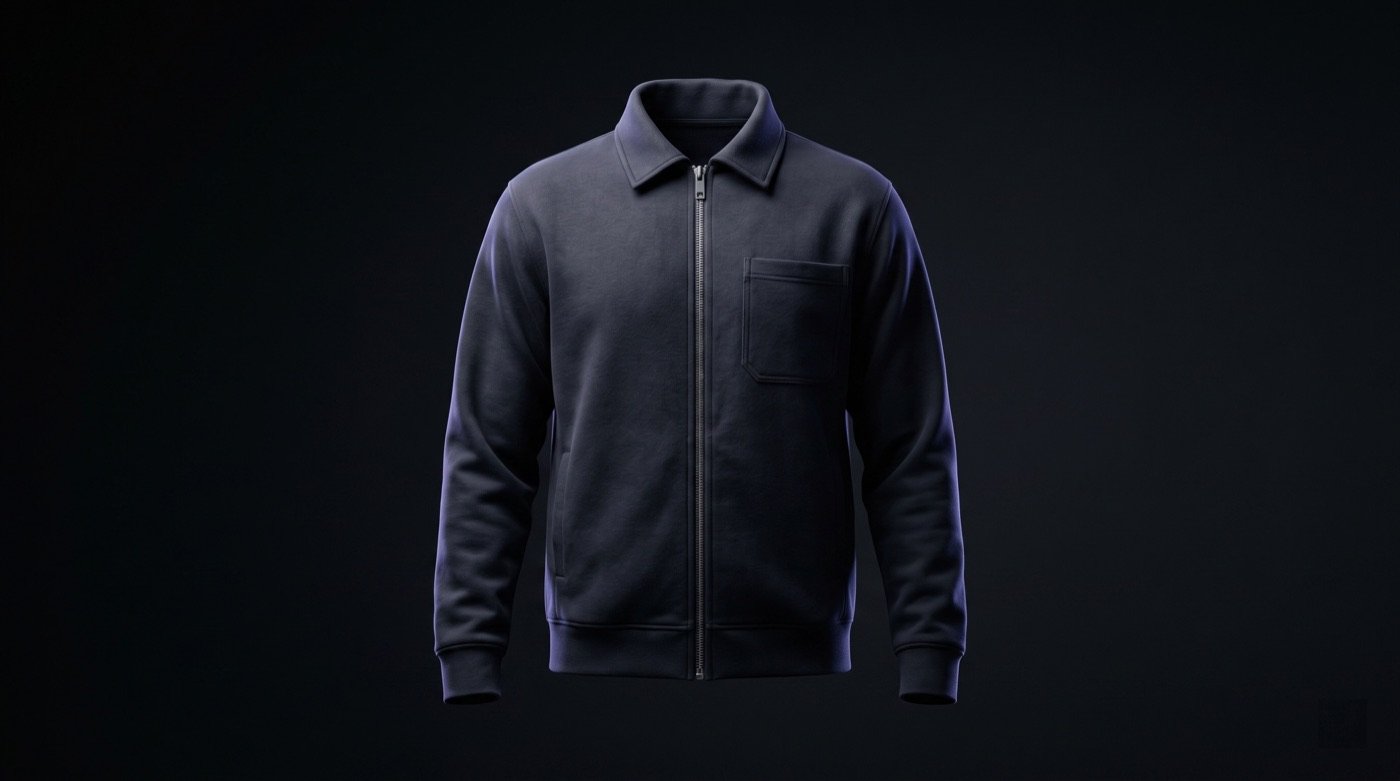
A saved mannequin workflow is useful when an apparel seller needs every product image to feel like it came from the same catalog system. The goal is not only to remove a model or make a clean product shot. The goal is repeatability: the same mannequin shape, camera height, lighting family, floor contact, background, and review standard across hoodies, jackets, uniforms, tracksuits, leggings, shirts, and buyer presentation images. For factories, exporters, Shopify sellers, Etsy shops, and Alibaba suppliers, that consistency makes it easier to compare SKUs, approve product details, and build listings without reshooting every garment.
Use a saved mannequin when the product needs clean repeatable catalog presentation across multiple SKUs. Lock the mannequin, scene, lighting, camera height, and product-reference rules first, then generate separate front, back, side, detail, and listing-support views. Review each output for color, silhouette, logo placement, seams, trims, fabric behavior, sleeve/body length, and whether the garment still matches the real product before publishing.
Why this matters
A saved mannequin gives catalog teams a repeatable subject instead of changing the model, body shape, pose family, and background for every product.
The strongest workflow starts with product truth: clear front reference first, then back, side, logo, fabric, label, color, and trim details where available.
Mannequin consistency matters most when sellers are building large SKU galleries, wholesale line sheets, Alibaba product sets, Shopify collections, or repeatable brand catalogs.
Saved mannequin images should be reviewed view by view. A merged multi-view proof can hide smearing, distorted garment panels, mismatched shadows, or inconsistent proportions.
The final image set should connect to listings, catalog PDFs, buyer decks, ads, and social assets only after product accuracy has been checked.
Workflow
Choose the mannequin role: clean ghost mannequin, saved mannequin body, studio catalog subject, or mannequin-led product inspection view.
Upload the most accurate product reference, starting with a clean front image and adding back, side, detail, fabric, logo, label, and color references when available.
Lock the repeatability controls: mannequin identity, body proportions, pose family, camera height, lighting direction, shadow softness, floor contact, and background family.
Generate separate product views instead of relying on one combined proof: front, back, side or three-quarter, close-up detail, and marketplace-support image where needed.
Review every output against the source garment for color, silhouette, sleeve/body length, cuffs, hems, seams, trims, print placement, embroidery placement, labels, and fabric texture.
Route approved images into the correct channel: Shopify gallery, Etsy listing, Alibaba product set, wholesale catalog, RFQ deck, ad creative, or social launch post.
Outputs
saved mannequin apparel image set
front, back, side, and detail catalog views
clean ghost mannequin-style product images
repeatable Shopify product gallery images
Alibaba and Etsy listing-support visuals
wholesale buyer deck image set
catalog consistency review checklist
approved image handoff for listings, ads, and social posts
Product workflow fit
Ayzelify supports mannequin and ghost mannequin-style product workflows for apparel catalog teams.
Saved mannequin mode is designed for consistency across products, not random one-off campaign images.
The workflow keeps product-reference review in the process so sellers can reject images with incorrect color, logos, trims, seams, or proportions.
The same approved visual direction can support ecommerce galleries, marketplace listings, buyer presentations, and campaign preparation.
A sportswear exporter uses one saved mannequin direction for tracksuits, teamwear, and jackets so a buyer can compare products inside one catalog.
A Shopify apparel brand keeps hoodie and sweatshirt galleries consistent while changing the garment design, colorway, and print placement.
An Etsy seller uses mannequin images for clean product inspection, then adds UGC or model photos later for styling context.
An Alibaba supplier creates repeatable front, back, side, and detail views before generating listing copy and bulk-upload assets.
A factory uses saved mannequin images in RFQ decks so buyers can evaluate silhouette and construction before sample approval.
Mannequin identity, body proportions, pose family, camera height, lighting, and background stay consistent across the set.
Garment color, fabric texture, silhouette, fit, sleeve/body length, and proportions match the real product reference.
Logos, embroidery, prints, labels, trims, seams, zippers, cuffs, hems, collars, and pocket placement are not distorted.
Front, back, side, and detail views are reviewed separately rather than accepted from one merged proof image.
The final gallery order answers buyer questions: clean hero, front inspection, back/side proof, detail closeup, and model or lifestyle context if needed.
Images are assigned to the right channel only after review: ecommerce gallery, marketplace listing, buyer deck, ad, email, or social post.
Practical guide
Start with a locked mannequin direction
Feed the workflow with product truth, not only a prompt
Generate separate views for safer review
Use mannequin images beside model and lifestyle context
Connect approved images to listings and buyer assets
Keep the mannequin and scene consistent while products change
Use Ayzelify to build repeatable mannequin-led catalog images for apparel galleries, marketplace listings, wholesale presentations, and campaign preparation while keeping product accuracy review in the workflow.
Upload the garment reference and supporting back, detail, logo, color, fabric, and label references where available.
Select saved mannequin or mannequin-style catalog direction and lock the scene, lighting, camera height, and background family.
Generate separate front, back, side, and detail views for review instead of treating one combined image as final proof.
Approve only the images that match the source garment, then send them into product galleries, listings, catalogs, buyer decks, ads, or social content.
A saved mannequin workflow helps apparel sellers keep shape, lighting, background, and product review consistent across many SKUs.
Common questions
What is a saved mannequin workflow?
A saved mannequin workflow uses the same mannequin direction, scene, lighting, camera height, and product-review rules across multiple garment image sets so apparel sellers can build consistent catalog visuals.
When should apparel sellers use a saved mannequin instead of an AI model?
Use a saved mannequin when repeatable product inspection matters more than campaign personality. It is strongest for catalog pages, wholesale line sheets, marketplace listings, and SKU comparison.
Can a saved mannequin workflow support Shopify, Etsy, and Alibaba listings?
Yes. Approved mannequin images can support Shopify product galleries, Etsy listing images, Alibaba product sets, wholesale catalogs, and buyer presentations when the product details are reviewed before publishing.
What should sellers review before publishing mannequin images?
Review color, silhouette, logo placement, print or embroidery position, seams, trims, sleeve and body length, fabric texture, background consistency, lighting, and whether each generated view matches the real garment.