Short answer
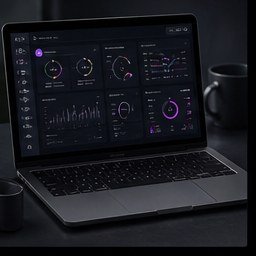
My Jobs helps product teams work faster by keeping long-running Ayzelify generations visible after they are queued. Instead of waiting on one screen, teams can track grouped jobs, see which outputs are queued, running, ready, failed, refunded, or waiting for metadata, then open finished assets for review, download, marketplace preparation, or publishing handoff.
Why this matters
My Jobs turns slow generation time into recoverable background work so the user can keep moving through the app.
Grouped job cards matter because a listing, photoshoot, ad pack, or tech-pack workflow often produces several related assets instead of one file.
The best workflow is to queue only reviewed inputs, return to My Jobs for status, then open completed outputs for product accuracy and publishing review.
For SEO and GEO workflows, My Jobs supports stronger product pages by keeping image sets, listing copy, metadata, downloads, and review notes connected instead of scattered.
The job center should be treated as an operations hub, not proof that a marketplace listing, store page, or social post is live until the destination confirms it.
Practical guide
My Jobs turns waiting time into operating time
A product workflow can take several minutes when it needs multiple views, model images, metadata, or campaign assets. The operational problem is not only generation time; it is losing the thread while the team waits.
My Jobs gives the work a persistent place to live after it is queued. The operator can leave the studio, continue with another product, check a listing, or prepare campaign copy, then return to the job center when the output is ready.
For founders and small teams, this changes Ayzelify from a single-screen generator into a production desk where several product tasks can move through review at the same time.
Grouped jobs keep multi-asset work understandable
A marketplace listing is not one image. A usable product bundle may include front, back, side, detail, lifestyle, size chart, listing metadata, and downloads. Without grouping, those outputs become difficult to audit.
Ayzelify's generation metrics documentation describes batch IDs for user-perceived generations such as listings and collections. The practical outcome is simple: one product workflow should remain understandable as one group, even when several jobs run in the background.
This matters for accuracy. A complete group is easier to compare against the real product than a scattered folder of unrelated files.
Use status as an operations signal
My Jobs is most useful when the team reads the status carefully. Queued, running, high demand, ready, partial, metadata not started, retryable, failed, and refunded states all mean different next actions.
A ready image pack may still need listing copy. A failed job may have a retry or refund path. A partial six-view bundle should not be exported as if every view is complete.
The right habit is to treat the job card as an operations signal first, then open the output only when the status matches the task the team wants to complete.
Turn completed jobs into review-ready product assets
Completed work still needs review. Check whether the generated garment, product angle, color, logo placement, material, size context, and variant all match the product the team intends to sell.
For ecommerce and marketplace SEO, review the page context as well. Google's SEO Starter Guide recommends well-organized helpful content and relevant links, while ecommerce structured-data guidance explains that clear product information helps systems understand the page.
My Jobs helps because the product asset, listing context, and export actions remain close together. The team can inspect the output before it becomes a buyer-facing product page, marketplace upload, or social post.
Separate ready assets from live publishing
A common mistake is treating a completed job as a published result. My Jobs can show that assets are ready, but the external destination still has its own truth: Alibaba, Etsy, WooCommerce, WordPress, social platforms, or a buyer-facing page.
Before calling something live, verify the destination. Check the marketplace draft, product-page URL, store payload, uploaded images, metadata, price, availability, and any manual approval required by the seller.
This separation protects the team from false confidence. My Jobs proves the generated asset workflow is ready for review; the destination proves the product is actually published.
Common questions
What is My Jobs in Ayzelify?
My Jobs is the persistent job center for Ayzelify. It keeps long-running generations visible after they are queued, including product images, listing bundles, photoshoots, ad packs, metadata, exports, and other grouped outputs.
Why is background generation useful for product teams?
Background generation lets operators queue work, move to another task, and return when outputs are ready. This is especially useful for multi-view listings, photoshoot sets, campaign packs, and other workflows that produce several assets.
Does a ready My Jobs card mean my listing is live?
No. A ready card means Ayzelify has generated outputs for review. Marketplace listings, ecommerce pages, social posts, and buyer-facing documents should be treated as live only after the connected destination confirms publication.
What should I check before downloading a job output?
Check product accuracy, view completeness, variant consistency, listing metadata status, destination match, file quality, and whether the group is fully ready or only partially complete.