Ayzelify home
Guide page
AI Sportswear Design Generator Guide
Sportswear design is not the same as generic fashion prompting. A sellable sportswear concept has to respect the sport, garment type, fabric behavior, movement, team identity, decoration method, colorway system, size range, sponsor or logo placement, and the buyer channel where the product will be shown. A soccer kit, running jacket, compression base layer, yoga set, training hoodie, and school team uniform each need different construction logic. Google Product structured data guidance also shows why ecommerce product pages need consistent product information such as size, shipping, return policy, price, and availability when the page is eligible for richer search presentation. Google Merchant Center image guidance says product images should accurately display the product and avoid promotional overlays, watermarks, and non-product content. USPTO trademark guidance explains that trademarks identify and distinguish goods or services, which matters when teams use club marks, sponsor logos, league names, or brand references. This guide explains how sportswear brands and manufacturers can use Ayzelify AI Sportswear Design Generator to create better concepts, review them for production reality, and turn approved designs into photoshoot, listing, tech-pack, and launch assets.
Design sportswear in Ayzelify
Short answer
An AI sportswear design generator is useful when it understands the category: sport, garment type, fabric, motion, fit, print method, logo placement, variants, and production constraints. Ayzelify helps teams create sportswear concepts and connected commerce assets, but every design should be reviewed for trademark rights, material claims, sizing, performance promises, and manufacturing feasibility before publishing or sampling.
Why this matters
Sportswear design needs category logic. The prompt should define the sport, garment type, fit, fabric, paneling, decoration method, movement use case, and buyer channel.
Teamwear and activewear are different workflows. Team kits need crest, sponsor, number, sleeve, back, and short/pant rules; gymwear and running products need fit, stretch, seams, ventilation, and fabric behavior.
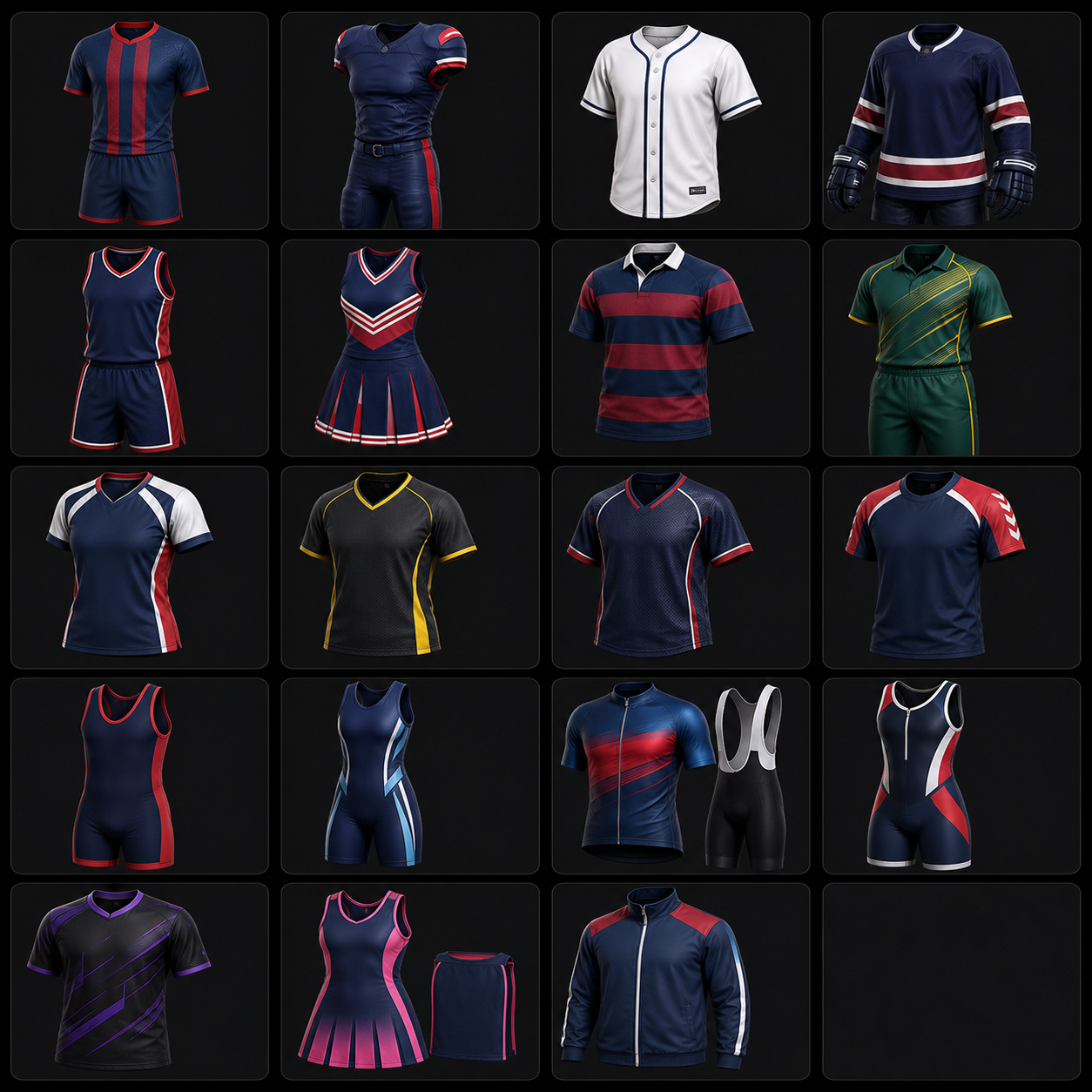
A strong AI output should become a reviewable product package: front, back, side, detail, colorway, size, tech-pack notes, listing copy, and launch creative.
Trademark and brand references need review. Do not copy club marks, sponsor logos, league identities, or competitor designs unless the seller has rights to use them.
SEO and GEO visibility improves when sportswear pages use accurate titles, descriptions, alt text, internal links, FAQs, and structured product facts that match the visible product.
Practical guide
Start with the sport, not only the style
A sportswear prompt should begin with the sport and product job. A football jersey, cricket kit, running jacket, yoga set, compression base layer, training hoodie, and basketball uniform do not share the same design rules.
The brief should name the garment type, use case, fit, season, buyer market, colorway, fabric direction, and launch channel. This gives the generator enough context to create a product direction instead of a generic athletic-looking outfit.
Ayzelify is useful here because its sportswear and teamwear routes already separate activewear, gymwear, team kits, running apparel, and jersey categories instead of treating all athletic apparel as one visual style.
Design the full kit when the product is a uniform
Teamwear buyers often need a complete kit, not a standalone jersey mockup. The top, shorts or pants, side panels, sleeve marks, back number, name area, sponsor zone, and crest placement all need to work together.
A weak AI prompt may show a shirt alone, invent random numbers, or place a logo where production would not use it. A better workflow defines the kit pieces, logo hierarchy, sponsor policy, colorway family, and whether names or numbers are allowed.
For exporter and manufacturer workflows, the full-kit view also supports sampling and quoting because decoration method, panel layout, and fabric choice can change cost and lead time.
Separate activewear logic from teamwear logic
Gymwear and running products need different checks from jerseys. Compression, stretch, seam placement, waistband comfort, ventilation, lining, pocket position, reflective details, and on-body movement matter more than sponsor zones.
This is where sportswear prompts should include fabric behavior and use case. A training tee may need breathable knit language; a running shell may need lightweight woven structure and practical trim placement; leggings need stretch, recovery, waistband, and opacity review.
Do not publish performance claims just because an image looks technical. Claims such as moisture-wicking, UV protection, waterproofing, compression, recycled content, or antimicrobial treatment should be supported by the actual material and supplier evidence.
Turn approved concepts into commerce assets
The design is only useful when it can move into product views, listing copy, catalog pages, tech-pack notes, and buyer presentation assets. A good sportswear workflow should not stop at one hero render.
Create the practical views next: front, back, side, detail closeups, fabric or trim closeups, colorway comparison, and on-body or ghost mannequin imagery. Then write listing fields that match the visible product.
Google product guidance reinforces this consistency requirement. Product pages and merchant listings need clear product information, images, sizing, shipping, returns, availability, and other facts that match what the page actually shows.
Review rights, claims, and production reality before publishing
Sportswear often carries identity: team crests, club names, sponsor marks, player numbers, league references, academy colors, and brand logos. Those details need permission and buyer approval before they appear in public listings or ads.
USPTO guidance defines trademarks as marks that identify and distinguish goods or services. That is why teams should avoid copying competitor marks, league identities, or club branding unless they have the rights to use them.
The final review should include production reality: material, decoration method, size range, care instructions, MOQ, packaging, lead time, quote assumptions, and whether the factory can actually make what the image promises.
Common questions
What is an AI sportswear design generator?
It is a tool that helps create sportswear concepts such as jerseys, team kits, tracksuits, training tops, running apparel, gymwear, and activewear from a product brief, reference, category, colorway, or buyer direction.
Why does sportswear need category-specific AI prompting?
Sportswear has sport-specific rules for fit, fabric, movement, paneling, logo placement, sponsor zones, numbers, trims, and full-kit presentation. Generic fashion prompts often miss those details.
Can Ayzelify generate team jerseys and uniforms?
Yes. Ayzelify can help create teamwear and jersey directions, but final logo rights, sponsor marks, player names, numbers, fabric, sizing, and production details should be reviewed before publishing or sampling.
What should I check before using AI sportswear images in a listing?
Check product accuracy, material and performance claims, logo rights, colorways, sizing, variants, image order, alt text, marketplace fields, shipping, price, and whether the listing copy matches the visible product.