Ayzelify home
Guide page
How AI Helps Sportswear Manufacturers Create More Teamwear Designs
Teamwear design is a high-variation sales problem. A school, club, distributor, or brand buyer may ask for the same jersey direction across home and away colorways, sponsor placements, sleeve treatments, shorts, training tops, goalkeeper kits, and size ranges before they approve a sample. Research into custom teamwear workflows shows why this gets operational quickly: style selection, design files, printing methods, quality checks, and delivery all affect the final order. Google also treats apparel variants such as color, size, material, and pattern as structured product relationships, which matters when a kit design moves into ecommerce or catalog publishing. Ayzelify helps sportswear manufacturers create more reviewable teamwear directions from one buyer brief while keeping the output connected to product views, listing content, and production review.
Create teamwear design options
Why this matters
Teamwear buyers rarely need one isolated mockup. They compare colorways, sponsor zones, sleeve and shoulder panels, collar treatments, short pairings, training pieces, and sport-specific styling before they approve a sample.
The useful AI workflow starts with constraints: sport, garment type, club colors, crest or logo references, sponsor marks, decoration method, gender or age group, buyer channel, and required product views.
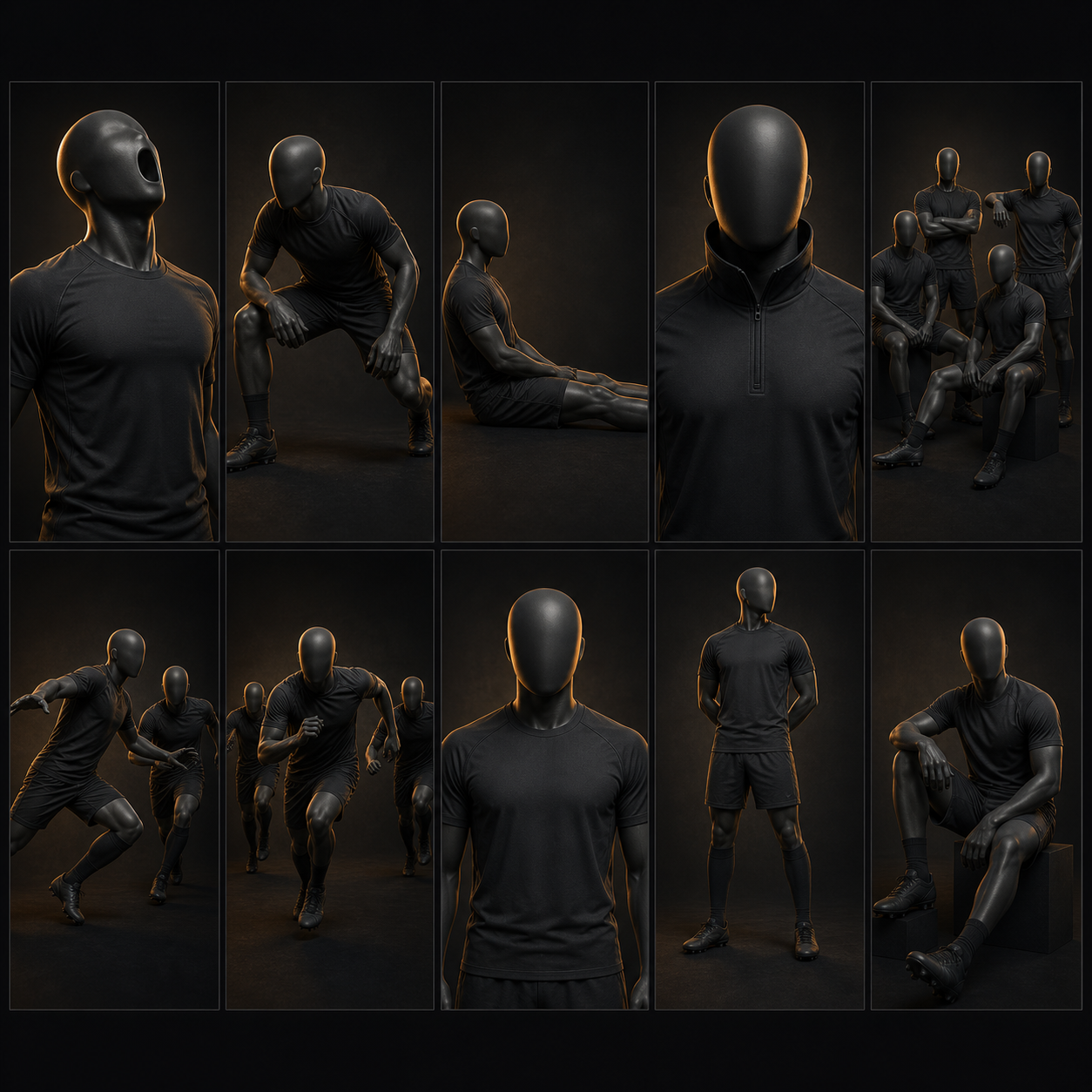
Ayzelify helps manufacturers turn those constraints into kit concept families, front and back views, model or pose visuals, marketplace-ready product notes, and review checkpoints for sampling.
Because apparel catalogs often depend on variants such as size, color, material, and pattern, the design stage should preserve variant logic instead of treating every colorway as an unrelated image.
The final output still needs human approval for logo fidelity, sponsor permissions, print or sublimation method, panel feasibility, color matching, grading, trims, and production costing before it becomes a confirmed order.
Practical guide
Teamwear buyers need option systems, not one image
A team kit buyer usually compares several directions before approving a sample. The same brief may need a home jersey, away colorway, alternate kit, shorts pairing, training top, goalkeeper option, sponsor version, and dealer presentation sheet.
That is why the best AI workflow is not random image generation. It is a repeatable option system where each design belongs to the same product family and can be judged against the same buyer brief.
Ayzelify helps sportswear manufacturers create that option system by generating teamwear concepts, pose sheets, front and back views, detail directions, and buyer-facing presentation assets from one structured request.
Start with real constraints: colors, crest, sport, sponsor, and product family
Sportswear designs become easier to approve when the brief is specific. A football kit, cricket uniform, rugby jersey, cycling kit, and esports jersey do not use the same visual logic, panel balance, or sponsor placement rules.
The brief should capture team colors, logo references, sponsor zones, player level, garment type, fit expectation, decoration method, and the exact views needed for review. Those constraints protect the output from becoming attractive but unusable artwork.
Ayzelify can use those inputs to explore collar treatments, sleeve bands, side panels, contrast blocks, short pairings, and team color families while keeping the sport category clear.
Show sponsor and logo placement before sampling starts
Sponsor placement is often where a promising kit concept becomes hard to approve. The logo may conflict with the panel layout, the chest area may be too busy, or the back number zone may need more space.
AI helps by letting the sales team explore sponsor positions, scale, contrast, sleeve marks, back marks, and clean front layouts before the buyer pays for a sample. This is especially useful when the same kit needs school, club, academy, and tournament versions.
The key rule is review. Logo fidelity, exact sponsor artwork, color matching, legal permissions, and final scale still need human approval before production.
Keep colorways and variants organized for catalogs and ecommerce
Teamwear does not stop at the mockup. Once a buyer likes a direction, the manufacturer has to organize sizes, colors, material notes, pattern names, home and away versions, and product grouping for a catalog or product page.
Google Search Central documents product variant structured data for products that vary by size, color, material, or pattern, and Merchant Center product data also uses grouping logic for apparel variants. That same discipline is useful inside the manufacturer workflow.
When Ayzelify generates a kit family, the team can preserve practical product information around colorway names, garment types, size ranges, and listing descriptions instead of losing everything inside image files.
Move selected concepts into production review, not automatic production
AI can accelerate design exploration, but it should not remove the factory review step. Before sampling, the team should check decoration method, fabric compatibility, seam placement, trims, number zones, sponsor approval, size grading, MOQ, and costing assumptions.
This is where Ayzelify works best as a sales-to-production bridge. The manufacturer can present more polished options earlier, collect buyer feedback faster, then hand selected directions to the merchandiser or sampling team with clearer notes.
The result is not a promise that every generated image is production-ready. The result is a stronger review process before money and time are spent on samples.
Common questions
How can AI help sportswear manufacturers create teamwear designs?
AI can turn a structured teamwear brief into multiple kit concepts, colorways, sponsor placement options, panel layouts, model or pose views, and presentation assets for buyer review before sampling.
What should a teamwear AI prompt or brief include?
A useful brief includes the sport, garment type, team colors, logo references, sponsor marks, decoration method, fit level, required views, size range, buyer channel, and any production limits.
Can AI teamwear concepts go directly into production?
No. AI concepts should be reviewed for logo fidelity, sponsor approval, artwork scale, fabric, print or sublimation method, seams, trims, size grading, MOQ, and sample feasibility before production.
Why do product variants matter for teamwear?
Teamwear often includes sizes, colors, materials, patterns, home and away versions, and sport-specific kit families. Keeping those variants organized helps the manufacturer build clearer catalogs, product pages, and buyer quotes.