Ayzelify home
Guide page
AI for Bag Manufacturers: Catalog Views and Detail Images
Bag buyers do not evaluate a product from one pretty hero image. A backpack, duffel, tote, travel bag, laptop bag, sports holdall, tactical pack, or weekender needs shape, scale, compartment logic, handle and strap details, zipper paths, hardware, bottom construction, lining, material finish, and use context. This guide explains how bag manufacturers can use Ayzelify to build catalog views and detail images that make a buyer, marketplace reviewer, or ecommerce shopper understand the product before asking for a quote or placing an order.
Build bag catalog assets
Short answer
Bag manufacturers need catalog images that show shape, scale, front, back, side, top, interior, compartment layout, material finish, hardware, zipper paths, straps, bottom panel, and use context. Ayzelify can help create those visual sets and turn approved product facts into listing copy, catalog notes, buyer presentations, and production review checklists.
Why this matters
Bag catalog content should make function visible. Buyers need to see the product from enough angles to understand volume, access, pocket placement, carrying method, materials, trims, construction, and use case.
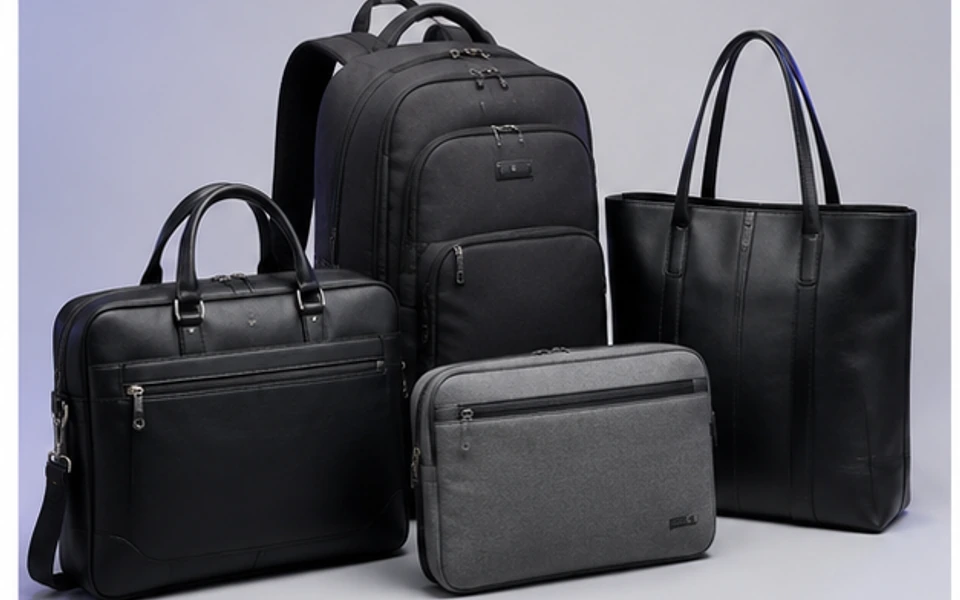
Ayzelify helps bag suppliers create category-specific concepts, front and back views, side profiles, top opening views, compartment visuals, material-detail images, lifestyle scenes, listing copy, and buyer-presentation assets from one reviewed product brief.
Google image SEO guidance favors relevant images with descriptive context, and Google product structured data guidance expects product facts such as images, price, availability, shipping, returns, and variants to stay consistent when used on product pages.
For shopping feeds, Google Merchant Center warns that inaccurate or conflicting product data and low-quality images can cause display issues. Bag listings should keep title, description, color, material, images, landing-page facts, and variants aligned.
For leather or simulated-leather bags, the FTC leather guides in 16 CFR Part 24 warn against misleading material, durability, waterproof, scuffproof, and composition claims. Generated images should never invent leather grade, waterproofing, recycled content, capacity, or test proof.
The best workflow is visual plus factual: generate the view set, write the listing, prepare the catalog sheet, and review every material, size, compartment, capacity, and performance claim before the asset reaches buyers.
Practical guide
Make the catalog answer the buyer before the quote request
A bag buyer often needs more proof than a garment buyer because the product is both visual and functional. Shape, scale, access, carrying comfort, compartments, closures, and construction all affect whether the item fits the use case.
Start the Ayzelify brief with the buyer question: school backpack, laptop commuter, gym duffel, sports team bag, travel weekender, business tote, hunting pack, tactical bag, or fashion accessory. The right catalog views come from that use case.
Build the view sequence around function, not decoration
The core bag image set should explain how the product works. For a backpack, that may include front, back, side, strap, laptop sleeve, organizer panel, bottle pocket, and bottom construction. For a duffel, it may include top opening, shoe compartment, wet pocket, shoulder strap, handle wrap, base panel, and internal lining.
Ayzelify can help create a view plan before the team spends on photography. That plan becomes a practical checklist for AI visuals, sample photography, ecommerce galleries, and buyer decks.
Use detail images to reduce material and construction doubt
A buyer cannot inspect stitching, zipper pulls, buckles, handle attachments, gussets, lining, padding, fabric texture, base reinforcement, or logo area from a single hero shot. Detail images remove that uncertainty and make the product easier to compare.
This matters for SEO and commerce too. Descriptive image alt text, captions, and surrounding copy help search systems and shoppers understand what the image shows. The useful detail is the feature itself, not a repeated keyword phrase.
Keep marketplace product facts consistent across every surface
Product pages, marketplace feeds, and buyer presentations should not disagree. If the title says waterproof travel duffel, the description, images, landing page, and production notes need to support the same product. If the product is PU, bonded leather, nylon, canvas, polyester, or genuine leather, the material language should be accurate.
Google product structured data and Merchant Center guidance both point toward the same operational discipline: clear product information, consistent images, and accurate availability, variant, and landing-page facts. Ayzelify can help prepare the asset stack, but the seller still reviews the truth of every claim.
Show scale and interior access for travel, work, and sports bags
Scale is a buying question. A weekender, cabin bag, laptop backpack, team equipment bag, yoga mat sling, and tote may all look acceptable in isolation, but buyers need to understand what fits inside, how it is carried, and whether the proportions match their customer.
Use lifestyle or scale views after the clean product views. The catalog still needs plain inspection images first, then context images that show use: commuter, gym, sports club, airport, outdoor, school, or retail display.
Review claims before the catalog becomes public proof
Bag products are easy to overclaim. Waterproof, scratchproof, recycled, leather, load-bearing, anti-theft, cabin-size, padded laptop, and impact-resistant language should only be used when the team can support it with real product facts, testing, supplier data, or approved sample evidence.
The eCFR leather guides warn against misleading material and performance claims for leather and simulated-leather goods. In practical terms, Ayzelify should help organize the catalog and listing workflow, while the manufacturer confirms composition, durability, dimensions, and production status before publication.
Common questions
What catalog images does a bag manufacturer need?
A strong bag catalog usually needs hero, front, back, side, top opening, bottom, interior, compartment, zipper, hardware, strap, material, scale, and lifestyle views. The exact sequence depends on whether the product is a backpack, duffel, tote, travel bag, sports bag, laptop bag, or fashion accessory.
How does Ayzelify help bag manufacturers create product content?
Ayzelify helps turn a bag brief into product concepts, catalog image directions, detail shots, listing copy, feature bullets, buyer-presentation notes, and production review checklists for ecommerce, Alibaba, Shopify, and private-label workflows.
Can AI-generated bag images be used as final product proof?
Generated images should be treated as concept, planning, or launch assets until the manufacturer reviews the real sample, material composition, measurements, capacity, compartments, hardware, and performance claims.
What should bag detail images show?
Detail images should show the features that affect buying confidence: material texture, stitching, handle attachment, shoulder strap, zipper path, pullers, buckles, base panel, lining, laptop sleeve, organizer pockets, shoe compartment, wet pocket, logo area, and scale.