Ayzelify home
Guide page
How to Refresh an Old Product Catalog Without Reshooting Everything
A product catalog can become stale even when the products still sell. The photos may have old lighting, inconsistent backgrounds, outdated brand colors, weak detail shots, missing lifestyle context, or listing copy that no longer matches the current campaign. Reshooting every SKU is expensive and slow, so the better first step is a controlled catalog refresh: decide which assets can be improved from existing product references, which products need a real shoot, and which pages need updated copy, variants, image metadata, and buyer trust signals. Google product structured data and Merchant Center product data both make product information and images part of the discoverability layer, while Shopify reminds store owners that quality product photos help customers understand what they are buying. Ayzelify helps apparel brands and ecommerce teams refresh old catalog assets without pretending that every AI output is automatically a live product photo.
Refresh product catalog assets
Why this matters
Old catalogs usually fail in several places at once: inconsistent images, weak backgrounds, outdated branding, missing detail views, stale listing copy, and product-page data that no longer matches the campaign.
A safe refresh starts with product truth. Keep the actual garment shape, materials, trims, logo placement, colors, size range, inventory status, and variant names separate from creative campaign ideas.
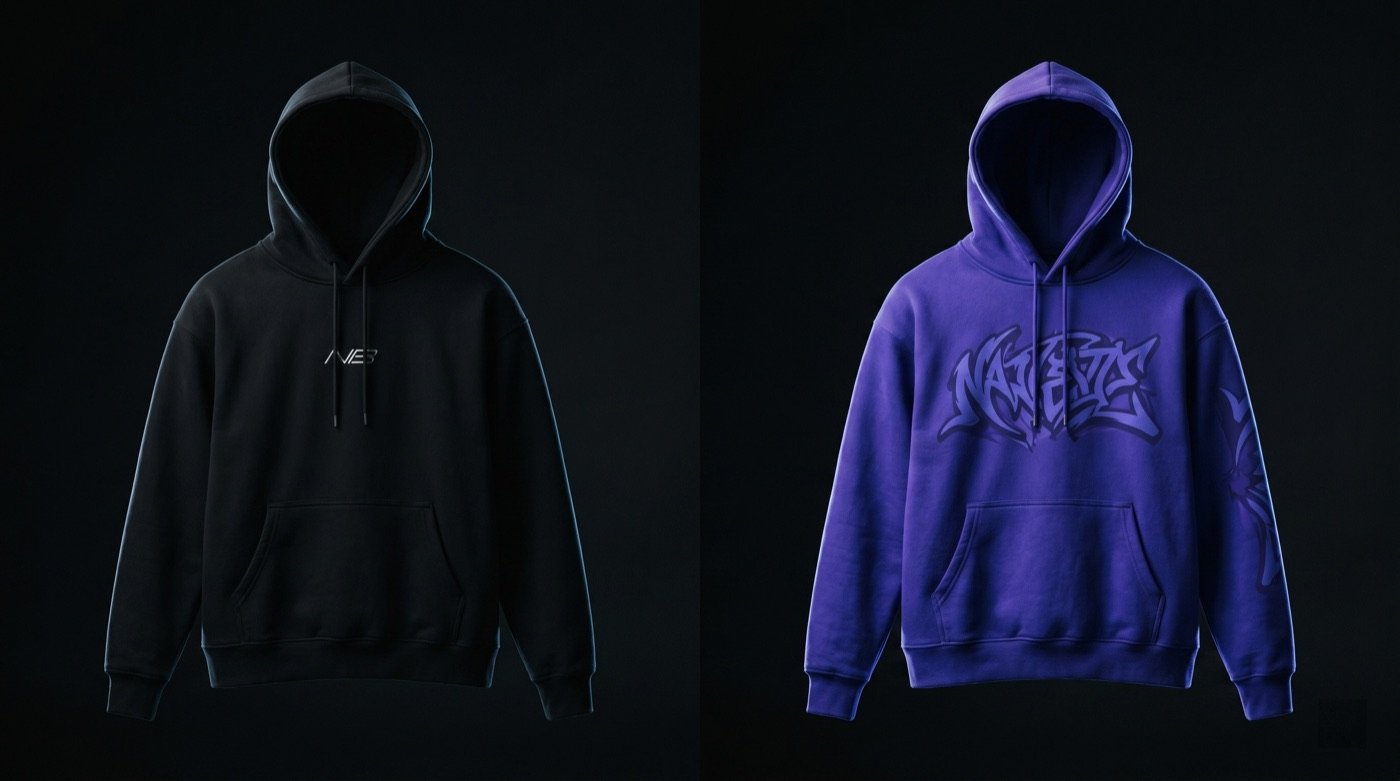
Ayzelify can help teams create refreshed brand visuals, colorway directions, campaign scenes, product-page copy, listing summaries, social assets, and review checklists from older catalog references.
Not every product should be refreshed with AI. Items with complex fit, new construction, changed materials, legal claims, quality concerns, or high-return risk may still need a real photoshoot.
The final publish step should review image SEO, product structured data, alt text direction, gallery order, variant grouping, and buyer-facing accuracy before refreshed pages go live.
Practical guide
Audit the catalog before generating new visuals
A catalog refresh should start with a product audit, not a prompt. Some products need cleaner product photos, some need new lifestyle context, some need stronger copy, and some should not be refreshed until the physical sample or inventory is updated.
Group products by risk and opportunity: strong sellers with stale visuals, products missing detail views, SKUs with old branding, listings with weak descriptions, and items where accuracy requires a real photoshoot.
This audit keeps the refresh commercial. The goal is not to make every old photo look new. The goal is to improve the pages that can gain buyer confidence without misrepresenting the product.
Refresh the brand system without inventing the product
The safest catalog refresh updates the surrounding commercial system: background style, campaign mood, brand colors, image consistency, listing copy, gallery order, and social/ad assets.
The product itself still needs to stay truthful. If a refreshed image changes garment shape, material texture, label, logo placement, trim, colorway, pocket layout, or available variant, treat it as a concept direction until approved.
Ayzelify Rebrand can help teams explore updated presentation quickly, but the approval gate should compare every output against the real SKU and the product-page facts.
Update the product page, not only the image
A stale catalog is rarely an image-only problem. Product titles, descriptions, material notes, fit guidance, size ranges, variant names, alt text, filenames, gallery order, and FAQs often need review at the same time.
Google product structured data and Merchant Center guidance both make product facts and image URLs part of product discoverability. That makes catalog refresh work more valuable when it cleans the whole product record instead of only the hero image.
Ayzelify can support this combined workflow by refreshing visuals and listing copy together, so the page tells one consistent story to buyers and search systems.
Use refreshed assets as a bridge to campaigns and reshoots
Refreshing old assets can help a team test a seasonal campaign, prepare marketplace updates, improve ads, and identify which SKUs deserve a new shoot later.
This is especially useful for large apparel catalogs where reshooting every item at once is not practical. The refresh can make the catalog cleaner while the team builds a better reshoot plan for the products that need it most.
The important distinction is asset status. Campaign concept, product-page image, marketplace image, social creative, and reshoot reference should be labeled separately inside the team workflow.
Publish in batches and measure buyer response
A catalog refresh should be released in controlled batches. Start with a product family, compare buyer questions, add-to-cart behavior, quote requests, support objections, returns, and products that still look unclear.
This creates a practical feedback loop. If refreshed visuals improve clarity, keep going. If buyers ask about color, fit, material, or details the refreshed assets do not prove, move those products into the reshoot list.
Ayzelify is strongest when it helps teams move faster without skipping review: refresh, compare, publish, watch buyer response, then decide which products need deeper production or photography work.
Common questions
Can I refresh catalog images instead of reshooting?
Yes for some products. Older images can often support refreshed branding, campaign planning, listing copy, gallery cleanup, and visual testing, but products with accuracy, fit, color, detail, or trust issues may still need a real reshoot.
What should I check before publishing refreshed images?
Check product shape, color, material, fit, trims, logo placement, labels, available variants, inventory status, product-page copy, image metadata, and whether the refreshed image could mislead buyers.
What catalog assets can Ayzelify help refresh?
Ayzelify can help refresh product visuals, brand backgrounds, campaign directions, listing copy, social assets, ad concepts, gallery planning, and review checklists from existing product references.
When should I still schedule a real product photoshoot?
Schedule a real shoot when the product has changed, the old image hides important details, color accuracy is critical, fit must be shown clearly, or buyer trust depends on real-world photography.