Why this matters
Product fidelity matters more than an attractive first impression.
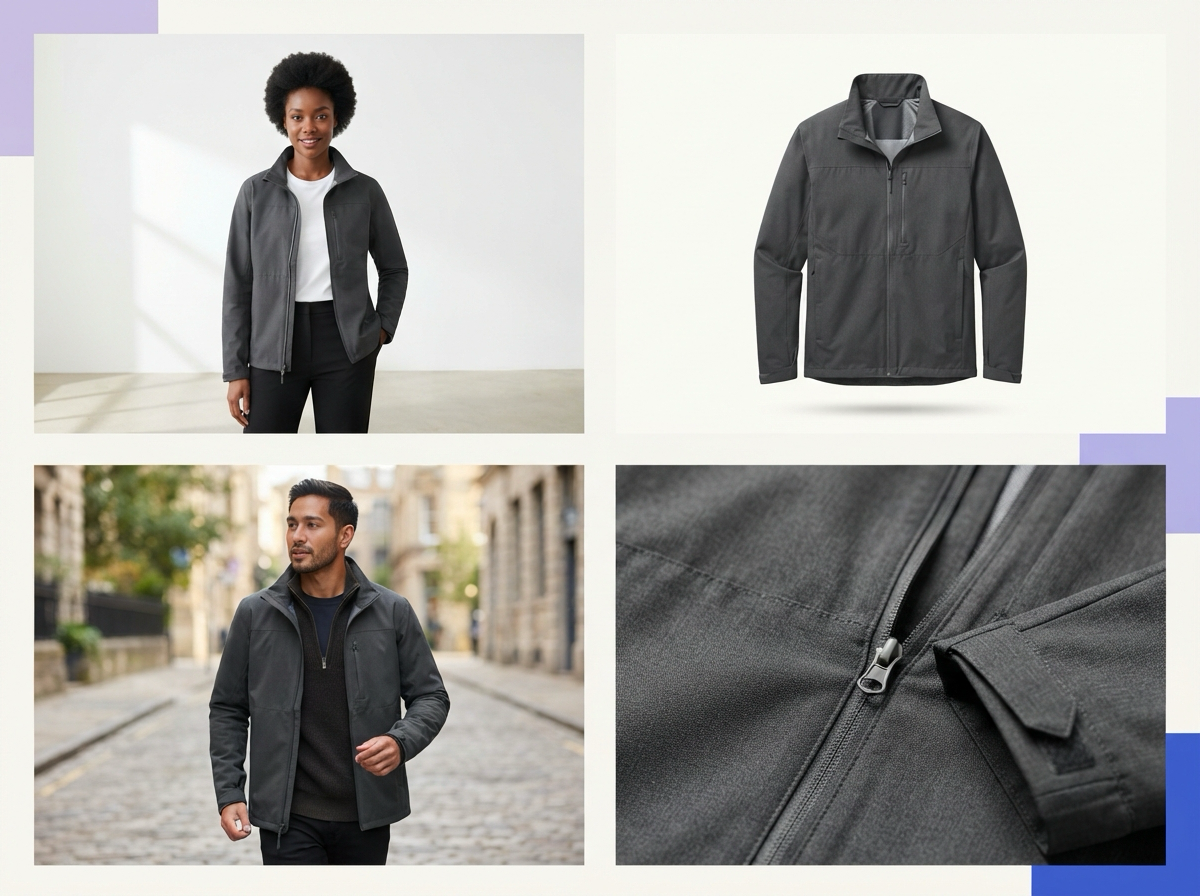
A useful comparison covers catalog, model, mannequin, lifestyle, detail, and variant outputs.
Repeatability across views and SKUs separates a workflow tool from a one-image generator.
Review, revision, export, and channel-readiness controls determine whether the tool works in production.
Real cost includes failed generations, correction time, approvals, and reshoots.
A controlled pilot with representative products is the safest selection method.
Practical guide
Start with product fidelity, not visual drama
An apparel image can look premium while being commercially wrong. The sleeve may be longer, the neckline cleaner, the print sharper, the fabric heavier, or the color warmer than the product a customer will receive. Make fidelity the first comparison category. Give every tool the same clean front, back, and detail references, then inspect silhouette, proportions, construction, fabric behavior, trims, closures, labels, graphics, embroidery, and color blocking. A tool should not earn a high score because the model, lighting, or location distracts from changed product details.
Build the test set around failure risk. Include a plain garment, but also add fine stripes, reflective material, washed fabric, textured knit, dense embroidery, a placement print, an asymmetric cut, and distinctive hardware. Mark each change as cosmetic, buyer-relevant, or product-critical. An invented pocket, moved logo, altered print, or incorrect included piece should fail. Ayzelify uses uploaded references and supports multi-angle inputs, but the brand still owns the final accuracy decision.
Compare the full image set your catalog needs
A product page rarely succeeds with one image. Shopify's product-photography guidance describes a useful mix that can include white-background product shots, lifestyle images, packaging, closeups, and group views. Apparel teams may also need flat lay, ghost mannequin, on-model front and back, fabric detail, fit context, color variants, and campaign crops. Write the required image matrix before testing a platform, then request the same set from every tool. This reveals whether the product can move from catalog clarity to brand storytelling without losing its identity.
Judge each output by its job. A main catalog image should show the entire product clearly. A detail view should reveal material or construction rather than invent it. A ghost-mannequin image should preserve the real neckline and hem. A model image should communicate believable fit without changing length or volume. Lifestyle and UGC-style images can add context, but should not hide the product behind props or crops. Ayzelify separates product, model, mannequin, and UGC directions so teams can build a purposeful set.
Test repeatability across views, products, and campaigns
The second successful image matters more than the first. A production tool must repeat an approved direction across poses, crops, products, and colorways. Request front, three-quarter, back, seated, and detail views for one product, then repeat the direction for several SKUs. Check whether garment features remain in place, whether model and lighting feel like one shoot, and whether proportions remain usable in a shared gallery. A platform that needs extensive prompt repair for every frame may be useful for ideation but expensive for catalog operations.
Test change control too. Ask for a new background while keeping the garment and pose stable. Change the model while preserving the approved product. Recreate a shot for another colorway without carrying over the wrong trim or print. Ayzelify's photoshoot concepts include multi-pose planning and garment-first pose direction. The acceptance test stays the same: each image should look related without drifting from the actual product. Record approval rate and whether a revision breaks something that was already correct.
Inspect the review and handoff workflow
AI photography becomes a business process when merchandisers, designers, marketers, and ecommerce operators must agree on the result. Compare how references are organized, how a brief is saved, how variants are named, how revisions are requested, and how approvals are recorded. The tool should make it easy to trace an output to its product and source images. Otherwise teams can approve a frame for the wrong SKU, export an old revision, or lose the reason a product detail was rejected.
Use a specific review gate: logo or print placement, color, silhouette, seams, pockets, trims, fabric cues, front-to-back consistency, model fit, background artifacts, and anything promised in the listing. Review at mobile thumbnail size and detail zoom. Then connect accepted images to title, description, specifications, and variant data. Ayzelify can generate listing metadata alongside photoshoot views in supported workflows, but convenience does not remove the need for one source of truth. Images and copy must describe the same sellable item.
Check export quality and channel readiness
A finished-looking preview is not necessarily a publishable file. Export representative images and inspect pixel dimensions, aspect ratio, compression, color appearance, transparency handling, filenames, and file size. Google Search Central recommends sharp, high-quality images near relevant text, with descriptive filenames and alt text. Product pages can also use Product structured data so search systems understand the item and its variants. The photography tool need not manage the whole website, but its files should fit that system without repeated resizing, renaming, or quality loss.
Marketplace rules need a separate check. Google Merchant Center currently asks for clear product imagery and says generative-AI images should retain metadata identifying their synthetic source. Do not assume a downloaded file preserves that metadata: verify the export and current destination rules. Check whether the whole product is visible, whether promotional overlays are absent where required, and whether the image agrees with the feed and landing page. Ayzelify can create channel-oriented visuals, while the seller remains responsible for current marketplace rules and final submission quality.
Measure cost per approved asset with a paid pilot
Subscription price is only one part of cost. Count reference preparation, prompt writing, generation attempts, review, retouching, file preparation, listing coordination, and any reshoot caused by an inaccurate asset. A lower-priced tool becomes expensive if the team discards most outputs. A higher-priced workflow can be economical when it produces repeatable approved sets and connected listing assets. Calculate cost per approved image and per completed SKU, then compare those numbers with the current studio, freelance, or internal process.
Run a small paid pilot before moving the catalog. Use three to ten products representing the real difficulty range, agree on required views and failure rules, and involve the people who normally approve imagery. Keep a real-camera fallback for product-critical details, regulated claims, exact color work, used-item condition, or any case where generation cannot prove the truth. The best AI apparel photography tool improves the whole path from source garment to approved product page. Ayzelify is a strong candidate when reference-led, apparel-specific, multi-view ecommerce workflows match that path.
Common questions
What is the best AI tool for apparel product photography?
The best tool is the one that passes your product-fidelity, view-consistency, workflow, and channel-readiness tests. Compare tools with real garments and difficult details rather than vendor showcase images. Ayzelify is built around apparel and ecommerce workflows, but its outputs still require human product review.
What should I test in an AI clothing photoshoot tool?
Test silhouette, color, fabric, seams, trims, labels, prints, logos, front-to-back consistency, model fit, background quality, export resolution, revision effort, and cost per approved image. Include both easy and difficult products.
Can AI product photography replace every apparel photoshoot?
No. Real photography may still be necessary when exact construction, fit, color, compliance evidence, condition, or another product-critical detail cannot be represented reliably. Use the source garment as the approval standard.
Are AI-generated apparel images allowed in Google Merchant Center?
Google Merchant Center currently requires AI-generated product images to retain metadata indicating their generative source, and its image rules still require accurate product presentation without promotional overlays. Check the latest destination rules and verify that your export process preserves required metadata before submission.