Can a generated tech pack go straight to production?
No. Treat it as a structured draft. Measurements, materials, construction, artwork, tolerances, and QC details need technical review before production use.
Resource page
Use this checklist to review an Ayzelify-generated tech-pack draft before sending it to a factory, merchandiser, sampling team, or buyer.
A tech-pack draft should be checked for product identity, measurements, BOM, construction notes, embellishments, artwork placement, color references, packaging notes, and QC requirements before production use.
A generated tech pack is a starting document, not the final production authority. It should collect the right sections so a technical person can correct and approve them.
Review the product summary, measurements, bill of materials, trims, artwork, construction details, stitch notes, packing, labeling, and QC checklist against the actual product plan.
Use clear unanswered items instead of guessing. Missing GSM, stitch type, print method, label placement, tolerances, or packaging specs should be marked for follow-up.
Ayzelify can help structure the draft. Your team should verify the product details before sampling, quoting, or production handoff.
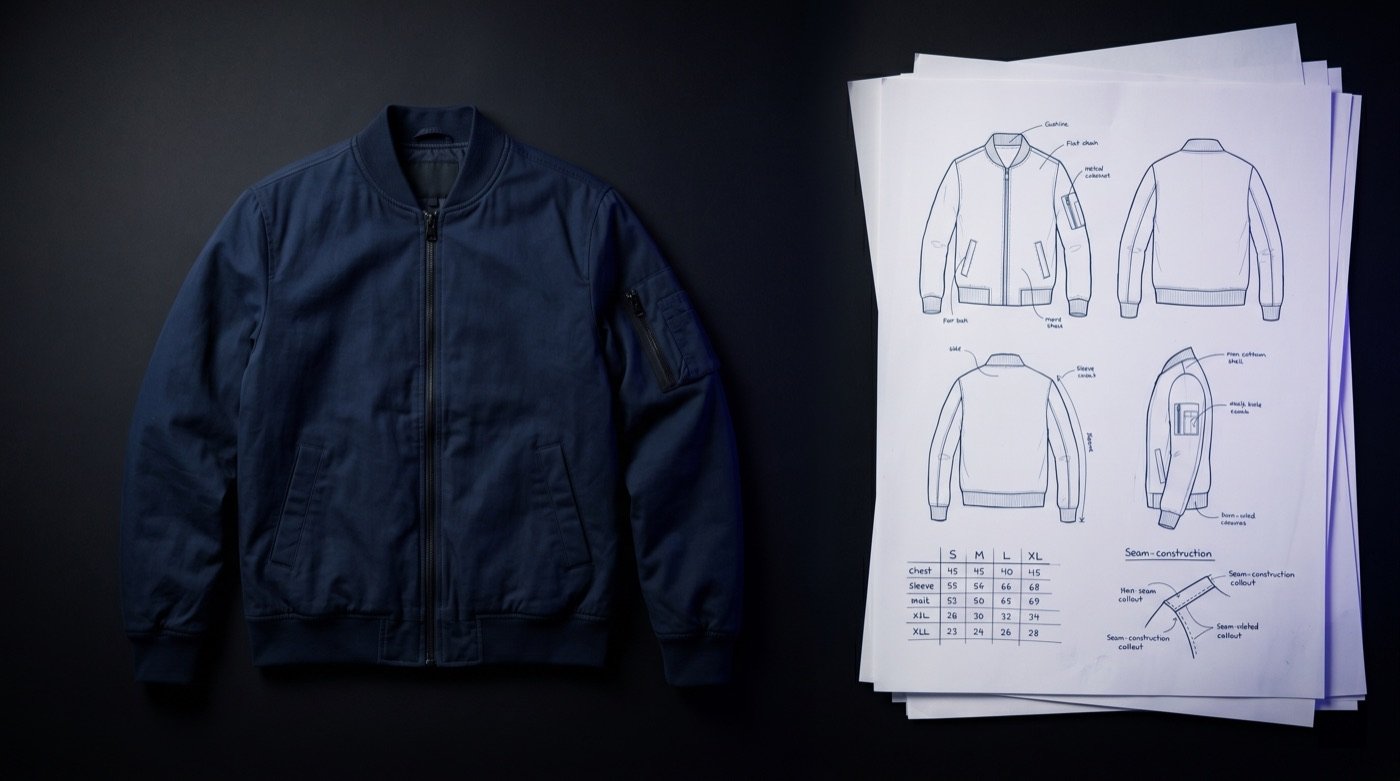
No. Treat it as a structured draft. Measurements, materials, construction, artwork, tolerances, and QC details need technical review before production use.
Any unknown GSM, measurement tolerance, stitch type, trim spec, print method, label placement, packaging detail, or QC requirement should be marked for confirmation.
Yes. Ayzelify workflows can use uploaded product references or brand inputs to generate product-focused visuals for review.
Yes. Exporters can create product visuals, listing copy drafts, and structured catalog inputs for marketplaces such as Alibaba and eBay.
Use Ayzelify to generate product visuals, ecommerce content, and buyer-ready assets, then review every output before publishing.