Ayzelify home
Guide page
Chrome Extension Trend Clone Guide for Alibaba Sellers
Ayzelify Trend Clone is useful when an Alibaba seller sees a market reference and needs to move quickly from research to original product direction. The goal is not to copy a competitor listing, reuse someone else's branded image, or reproduce protected product identity. The goal is to capture practical product signals, such as category, silhouette, use case, construction direction, material feel, buyer intent, and image sequence, then turn those signals into a new Ayzelify listing workflow. Chrome Web Store policy expects extensions to collect and use only data needed for the disclosed user-facing purpose, and its Limited Use guidance restricts browsing-activity use except where it is needed for a prominent product feature. Alibaba seller guidance also treats listing quality as a combination of product names, keywords, photos, descriptions, and detail quality, while seller education emphasizes that product pictures shape the first buyer impression. This guide gives Pro and Elite users a safer workflow for using the Chrome extension on Alibaba high-demand product pages or right-click product images, then reviewing the generated front, side, back, closeup, technical spec sheet, size chart, and listing metadata before anything is published.
Create original Alibaba listing assets
Short answer
Use Ayzelify Trend Clone as a market-research shortcut, not a copying tool. Capture the reference only to understand product direction, generate an original six-view listing pack, technical spec sheet, size chart, and marketplace metadata, then review IP, brand, product facts, Alibaba upload readiness, and structured product consistency before publishing.
Why this matters
Trend Clone should turn a market reference into original listing direction, not into a duplicated competitor page.
Alibaba sellers should capture only the product signals they need: category, use case, construction, buyer intent, image angle needs, and specification gaps.
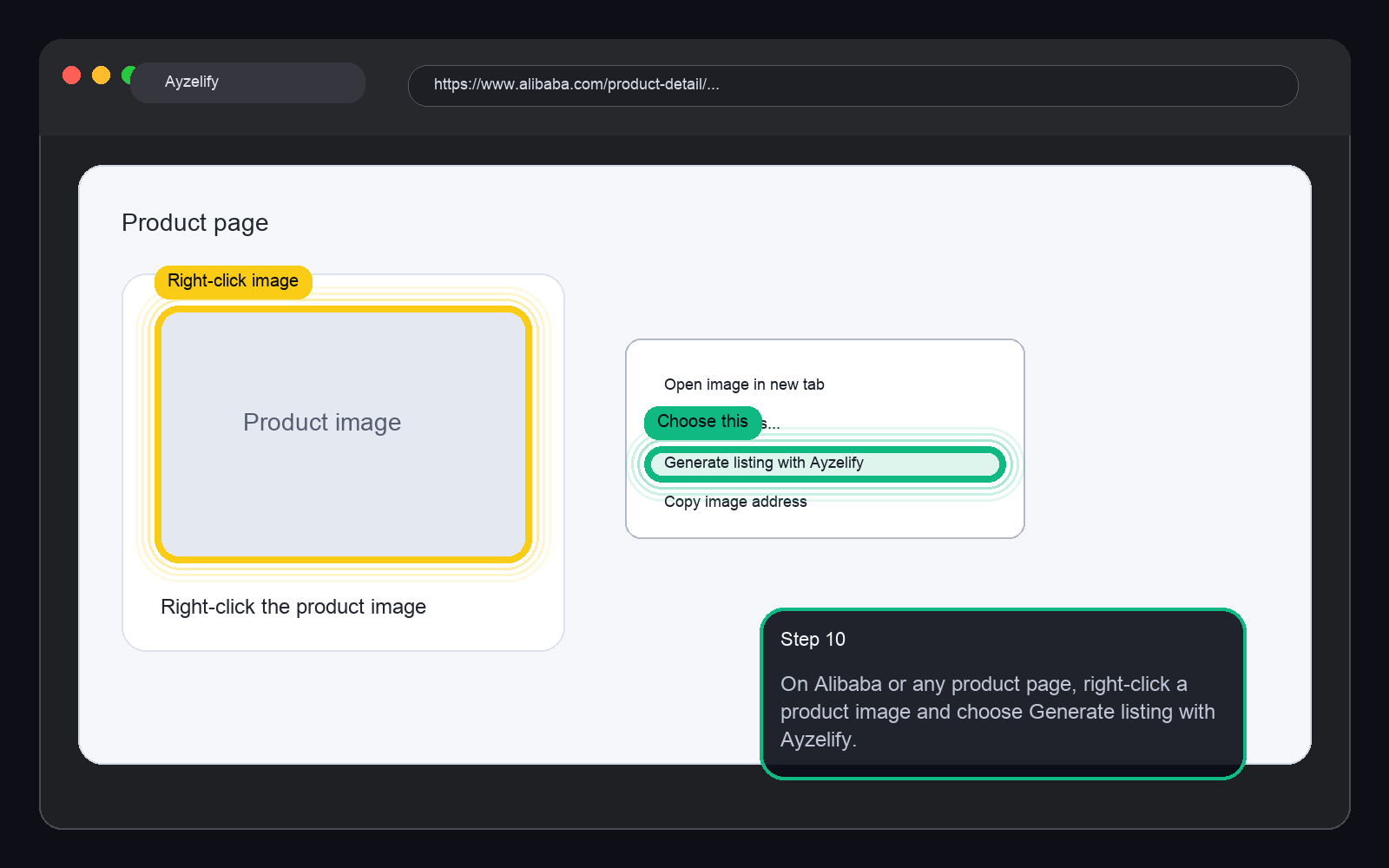
The Ayzelify Chrome extension can be installed from the dashboard, synced with the user account, and used on Alibaba high-demand pages or right-click product images from other websites.
A stronger workflow converts the reference into a fresh front, side, back, detail, technical spec, size chart, and listing metadata package that the seller reviews before publishing.
SEO and GEO value comes from consistent product facts, useful images, crawlable descriptions, FAQ answers, Product structured data alignment, and internal links to Alibaba listing workflows.
Practical guide
Use trends as research, not as copying instructions
Alibaba sellers often need to move fast when a buyer asks for a product category or when a high-demand page exposes a useful market direction. The mistake is treating that page as something to duplicate.
A safer Trend Clone workflow starts by separating signals from identity. Category, silhouette, materials, use case, buyer questions, and required views are useful signals. Competitor logos, brand names, watermarks, exact copy, reviews, certifications, and distinctive artwork are not inputs to reproduce.
This distinction matters for trust. The seller needs original listing assets that match their own product capability, not a near-copy that creates marketplace, buyer, or intellectual-property risk.
Capture only the product signals you need
The extension should be used with a clear user intent: capture a visible product reference because the seller wants to generate a related Ayzelify workflow. That keeps the browser step narrow and practical.
Before generating, check the synced profile details. A Pro or Elite user should make sure company name, logo, saved mannequin, and saved model references match the listing context so the generated assets do not drift away from the seller's brand.
Then rewrite the brief. Add your own materials, colors, product size, customization zones, packaging, MOQ context, and target buyer. The reference should guide the category, not own the final product.
Turn the reference into a fresh six-view listing pack
Alibaba buyers evaluate product pages quickly. A useful generated pack should answer inspection questions: What is the product, what does the front look like, what changes on the back, what is visible from the side, what details prove construction, and what spec or size information supports ordering?
Ayzelify can turn the captured direction into front, side, back, closeup, technical spec sheet, and size chart assets. For sellers, the important step is reviewing these outputs as one package instead of treating each image as a separate design experiment.
If the title says one fabric but the closeup suggests another, or if the size chart does not match the product, fix the brief and regenerate before listing.
Create specs and metadata from seller facts
Listing metadata should come from the seller's actual product record. AI can draft a better title, description, feature bullets, attributes, and buyer FAQs, but it should not invent material composition, certifications, lead times, prices, MOQ, factory capacity, compatibility, or performance claims.
For Alibaba, this is especially important because buyers compare suppliers across similar listings. Consistent names, keywords, photos, descriptions, and product details make the listing easier to evaluate, while vague or unsupported claims reduce buyer confidence.
A practical rule: every generated field should be traceable to a source fact from the product brief, factory record, or reviewed seller input.
Review policy, IP, and upload readiness before posting
Before publishing, run a final review across three areas. First, originality: remove competitor identity, protected marks, copied copy, copied photo style, or claims that belong to another seller. Second, product truth: check images, specs, size chart, materials, and packaging against what your business can deliver.
Third, marketplace readiness: confirm image dimensions, file formats, category fields, product details, internal links, and structured product information. If the same product facts appear in the gallery, copy, FAQ, and schema, both buyers and search systems get a clearer page.
Trend Clone saves time only when the seller keeps this review gate. Fast generation is useful; fast unreviewed publishing creates risk.
Common questions
What is Ayzelify Trend Clone?
Trend Clone is an Ayzelify Chrome extension workflow for turning a product reference or Alibaba high-demand page into original product listing direction, including image views, specs, size guidance, and marketplace metadata for seller review.
Is Trend Clone meant to copy competitor Alibaba listings?
No. It should be used for research and product direction. Sellers should not copy competitor photos, logos, brand names, descriptions, reviews, certifications, or protected product identity.
What does the Chrome extension generate for Alibaba sellers?
A typical workflow can generate front, side, back, closeup or detail shot, technical spec sheet, size chart, title, description, specifications, and marketplace metadata draft.
Can Ayzelify use product images from websites outside Alibaba?
The extension can support right-click Generate with Ayzelify on many product images. The seller should use that capture as reference direction only and review the output for originality, permission, and product accuracy.