What is an AI product listing generator?
An AI product listing generator creates reviewable listing drafts such as titles, descriptions, bullets, attributes, image alt text, category notes, and FAQs from product images and verified product facts.
Guide page
A product listing generator is useful only when it helps a seller create clearer, more accurate product pages from real product inputs. Ecommerce sellers often begin with one product image, a supplier note, a factory spec sheet, a sample photo, or a rough product idea. That is enough to start a draft, but it is not enough to publish blindly. Shopify documents CSV import and export as a way to manage many products and product details at once. WooCommerce includes a CSV importer/exporter for adding, exporting, and bulk-updating products. Google Merchant Center product data guidance says accurate and correctly formatted product information is essential for ads, free listings, and preventing disapprovals or display issues. Google Search Central explains that ecommerce product data can be supplied through Product structured data, Merchant Center feeds, or both. This guide explains how Shopify sellers, WooCommerce teams, marketplace operators, exporters, apparel brands, catalog managers, and product-data teams can use Ayzelify AI Product Listing Generator to create stronger titles, descriptions, bullets, image-alt text, attributes, buyer-question coverage, and channel-ready drafts while keeping factual review, image accuracy, platform rules, and final publishing under human control.
An AI product listing generator should turn verified product images and facts into reviewable listing drafts: title options, short descriptions, long descriptions, bullets, attributes, image alt text, category notes, FAQs, and platform field guidance. Sellers should verify materials, variants, identifiers, price, stock, shipping, policy-sensitive claims, and actual image accuracy before publishing.
An AI product listing generator should start with verified product truth: images, SKU facts, materials, dimensions, variants, price, stock, buyer type, and target channel.
The best output is not one generic description. It is a reviewable bundle of titles, descriptions, bullets, attributes, image alt text, category notes, buyer objections, and publishing checks.
Shopify, WooCommerce, Google Merchant Center, eBay, Alibaba, Etsy, and custom stores all need different field mapping, so sellers should adapt generated copy to the destination platform.
SEO and GEO value comes from clear product language, accurate image context, structured-data-ready facts, product feed consistency, internal links, and answer-ready summaries.
Generated listing drafts should be reviewed for unsupported claims, wrong materials, fake certifications, variant mismatch, image mismatch, price or stock errors, shipping promises, and marketplace compliance.
The best product listing starts before generation. A seller needs to know what the item is, who it is for, what images show, which facts are verified, which channel will receive the content, and which claims are off limits. Without that source of truth, AI can produce fluent copy that still describes the wrong product.
Ayzelify is useful because the workflow can begin from product context: an image, a sample, a product brief, a category, and buyer intent. That lets the listing draft stay connected to the product rather than becoming generic ecommerce copy.
A useful listing bundle contains more than a title and description. Ecommerce teams need a short description, long description, feature bullets, attribute suggestions, tag or category notes, image-alt wording, buyer-question coverage, and field-level review notes. That gives the seller enough structure to compare, edit, approve, and publish.
For apparel, beauty tools, leather goods, sportswear, accessories, surgical instruments, and marketplace products, the bundle should also capture the details buyers inspect before purchase: material, view, scale, size, fit, function, finish, compatibility, packaging, and included items.
Generated listing copy should be adapted to the channel where it will live. A Shopify product page needs store-friendly copy and collection context. WooCommerce teams need categories, attributes, product status, gallery planning, and update discipline. Marketplace listings need item specifics, condition notes, policy-aware wording, and channel-specific buyer trust details.
Google Merchant and search systems add another layer: product data should be accurate, formatted correctly, and consistent with the page. The title, description, image, price, availability, brand, identifiers, and structured data should describe the same product.
Image-to-listing generation is powerful because it can identify what the product page needs to explain: color, view, product type, texture, shape, context, and visible details. But visual inference is not the same as verified fact. If the image appears to show leather, stainless steel, organic cotton, medical-grade steel, waterproof construction, or brand compatibility, the seller still needs evidence before publishing that claim.
The safe pattern is simple: use the image to guide the draft, then use the product source to approve facts. This prevents the listing from promising materials, measurements, origin, certification, warranty, or performance the seller cannot prove.
SEO and GEO performance at product-page level depends on clarity more than volume. A listing should answer what the item is, who it serves, what it is made from, what variants exist, how it is used, what the images show, and how a buyer should evaluate it. Search engines and answer systems can work with that structure because it is specific and consistent.
Ayzelify helps by generating page-ready content blocks that connect product names, categories, descriptions, image alt text, buyer questions, internal links, and structured-data-ready facts. The seller still needs to avoid repetitive keyword stuffing and keep every claim grounded in the real product.
The review step is where ecommerce teams protect the catalog. Check the generated title, description, bullets, attributes, image alt text, variants, product identifiers, price, inventory, shipping, returns, and any policy-sensitive language. For connected publishing, verify the preview or draft before the public page receives traffic.
A practical Ayzelify workflow ends with evidence: the product page renders, images load, canonical and metadata exist, structured data is consistent, the sitemap includes the page when appropriate, and the buy or inquiry path works. That is the difference between generated content and a publishable listing.
Ayzelify helps ecommerce sellers generate product titles, descriptions, bullets, attributes, image-alt text, and marketplace-ready listing notes from product context while keeping the final review in the seller workflow.
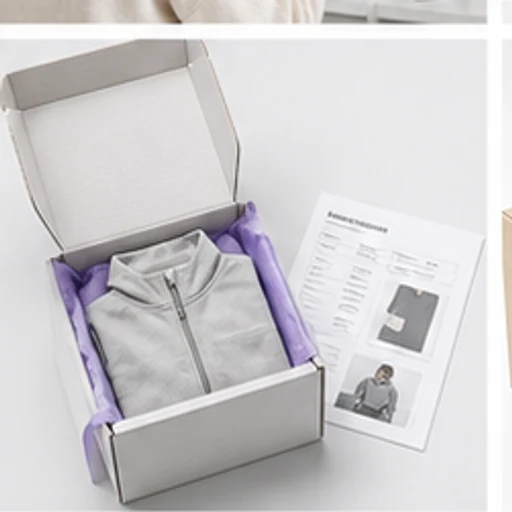
An AI product listing generator creates reviewable listing drafts such as titles, descriptions, bullets, attributes, image alt text, category notes, and FAQs from product images and verified product facts.
It can prepare listing content for connected workflows, but sellers should keep human review before publication. Price, inventory, identifiers, shipping, warranty, compliance claims, and marketplace rules need verification.
It can help when the content is unique, accurate, structured, and aligned with product images, page metadata, internal links, and product data. Generic or unsupported copy can weaken buyer trust and search quality.
Provide product name, SKU, category, material, size, color, dimensions, variants, brand, identifiers, image set, buyer type, use case, price, stock, shipping, returns, and any restrictions or evidence-backed claims.
Use Ayzelify to generate product visuals, ecommerce content, and buyer-ready assets, then review every output before publishing.