Why this matters
Better eBay drafts start with an exact-item record covering category, identity, condition, defects, included pieces, and selling format.
eBay Seller Center recommends clear item-focused images and says sellers can add up to 24 photos; the first image appears in search results.
Used, damaged, open-box, and collectible items need actual-item photos that show wear and packaging rather than generic product imagery.
Item specifics help listings match buyer searches and filters, so drafts should collect the category's current required and recommended fields.
Ayzelify can draft titles, descriptions, image plans, and field prompts after the facts are verified, while final marketplace decisions stay with the seller.
A pre-publish comparison should make photos, condition, item specifics, description, price, shipping, and returns agree.
Practical guide
Build an exact-item record before opening the draft
A vague product name is not enough for eBay. Record the selling unit first: one used jacket, a sealed multi-quantity SKU, an open-box appliance, a refurbished phone, a collectible with original packaging, or a replacement part with defined fitment. Capture the category, brand, model, identifiers, size or measurements, color, material, condition, defects, repairs, included pieces, packaging, and quantity. The item record should point to the person who can approve the final condition and commercial settings.
This separates facts from assumptions. A camera can show a label, but it may not prove authenticity. A similar online listing may suggest a model number, but it does not prove that number belongs to your item. A generated description may sound polished while quietly adding a warranty or accessory. Ayzelify should receive the verified record and clear reference photos, then help structure the draft. Unknown fields should remain unknown until the seller checks them.
Make the first photo work in search results
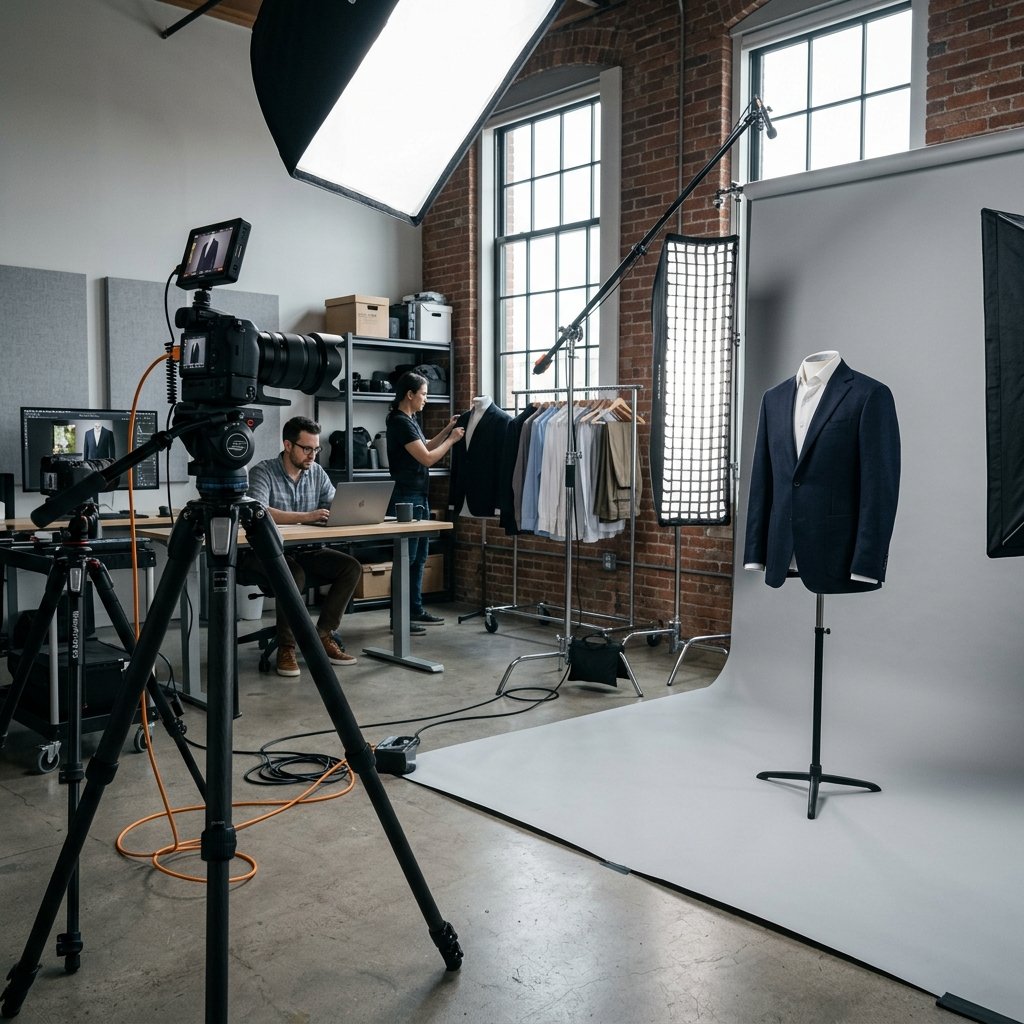
eBay says the first photo appears in search results, so it should identify the item immediately. Center the product, fill the frame, use bright even light, and choose a white or neutral uncluttered background that keeps the item distinct. eBay's current photo guidance lists 500 by 500 pixels as the minimum and recommends at least 1600 by 1600. Sharp source images also give buyers more confidence when they zoom into fabric, finish, labels, or wear.
Avoid treating background replacement as product editing. A cleaner backdrop can improve presentation, but the product silhouette, color, texture, labels, and condition must remain truthful. eBay advises sellers not to add text, artwork, logos, or watermarks to listing photos and says these additions can interfere with third-party search visibility. Ayzelify can help plan or produce clean listing visuals, but compare the result with the original item before it becomes the search thumbnail.
Use the gallery to prove condition and completeness
eBay currently allows up to 24 photos, but the value comes from coverage. After the main image, photograph the back, sides, top or bottom when useful, labels, model plate, texture, measurements, package condition, and every included accessory. For used or damaged goods, add closeups of stains, scratches, chips, repairs, missing pieces, or functional issues. A buyer should not discover the most important condition fact only after delivery.
Write a purpose beside each planned photo: identify item, prove size, show label, disclose cuff wear, show charger, document box damage. That note becomes the basis for the condition description and included-items statement. For apparel, show the size tag and measurements. For electronics, separate screen condition, casing wear, ports, and accessories. For collectibles, document seals, corners, marks, and packaging. Lifestyle images can support the listing, but evidence views should carry the condition story.
Turn verified facts into item specifics and title options
Item specifics are structured facts such as brand, type, size, color, style, dimensions, or material. eBay explains that buyers use these fields to filter search results and that required or recommended specifics vary by category. Select the category first, then collect the current required fields and the recommended fields that actually apply. A complete but inaccurate field can send the item into the wrong search or create an expectation the product cannot meet.
Build the title from the strongest verified search facts: product type, brand, model or collection, size, color, material, quantity, compatibility, and condition where useful. Do not stuff unrelated brands or repeat synonyms. Ayzelify can draft several title options and prompt for missing item specifics, but compare every option with the exact-item record. If the identifier, compatibility, year, authenticity, or material is uncertain, research it or remove it instead of allowing the draft to guess.
Write the description from the photo evidence
The description should connect the facts a buyer cannot infer safely from the title. State what the item is, its relevant specification or fit details, its actual condition, what is included, and anything a buyer should understand before purchase. For a used jacket, include tagged size, measured dimensions, fabric if verified, closure, visible wear, and whether accessories such as a belt or detachable hood are included. For an open-box product, explain the box and item condition separately.
Use direct condition language. If a scratch appears in photo six, mention it and point the buyer to that view. If an item was tested, describe the test performed rather than declaring it fully functional beyond what was checked. Ayzelify can organize the draft into an overview, specifics, condition, included items, and shipping notes. The seller should remove claims about authenticity, compatibility, refurbishment, warranty, or performance that are not supported by records and the actual item.
Run one consistency check before publishing
Review the listing as a buyer would see it on a phone. Does the first image identify the exact item? Do the additional photos show the variation, measurements, wear, and included pieces? Does the selected condition match the written condition note? Do the title and item specifics name the same model, size, color, and quantity? Then check price or auction format, handling time, shipping service, item location, returns, and any warranty language.
Keep the approved item record after publication. Buyer questions often reveal a missing measurement, unclear compatibility boundary, or absent photo. Update the source record and draft template so the next listing improves. Google Search Central also recommends descriptive alt text and relevant surrounding text for images on a seller's own website; consistent product language across the website and eBay helps teams avoid conflicting item facts. Ayzelify is most useful here as a repeatable drafting system with a human accuracy gate.
Common questions
How many photos can an eBay listing use?
eBay Seller Center currently says sellers can add up to 24 photos. Use the available gallery to show the exact item, useful angles, labels, included pieces, packaging, measurements, and honest condition details rather than repeating similar views.
What resolution should eBay product photos have?
eBay currently requires at least 500 by 500 pixels and recommends at least 1600 by 1600. The item should be sharp, centered, well lit, and clearly visible against an uncluttered background.
Can Ayzelify create an eBay listing draft from product photos?
Ayzelify can use item details and visual references to help draft titles, descriptions, photo plans, and listing fields. The seller still needs to verify condition, identifiers, dimensions, included items, compatibility, shipping, and returns.
Should used eBay items use AI-generated lifestyle images?
The primary evidence should be current photos of the exact used item, including flaws and wear. A generated context image should never replace or contradict those photos, conceal condition, or imply accessories or features that are not included.